TPW
34
c.
-s- 5
d. e.
2 sec.
MODE
MODE
9 8 5.01000.0
5 sec.
*
sample
3780
g. h.
-s- 5
a.
i.
2 sec.
TARE
PT
USER_MANUAL_ENG_TPW_4_R1
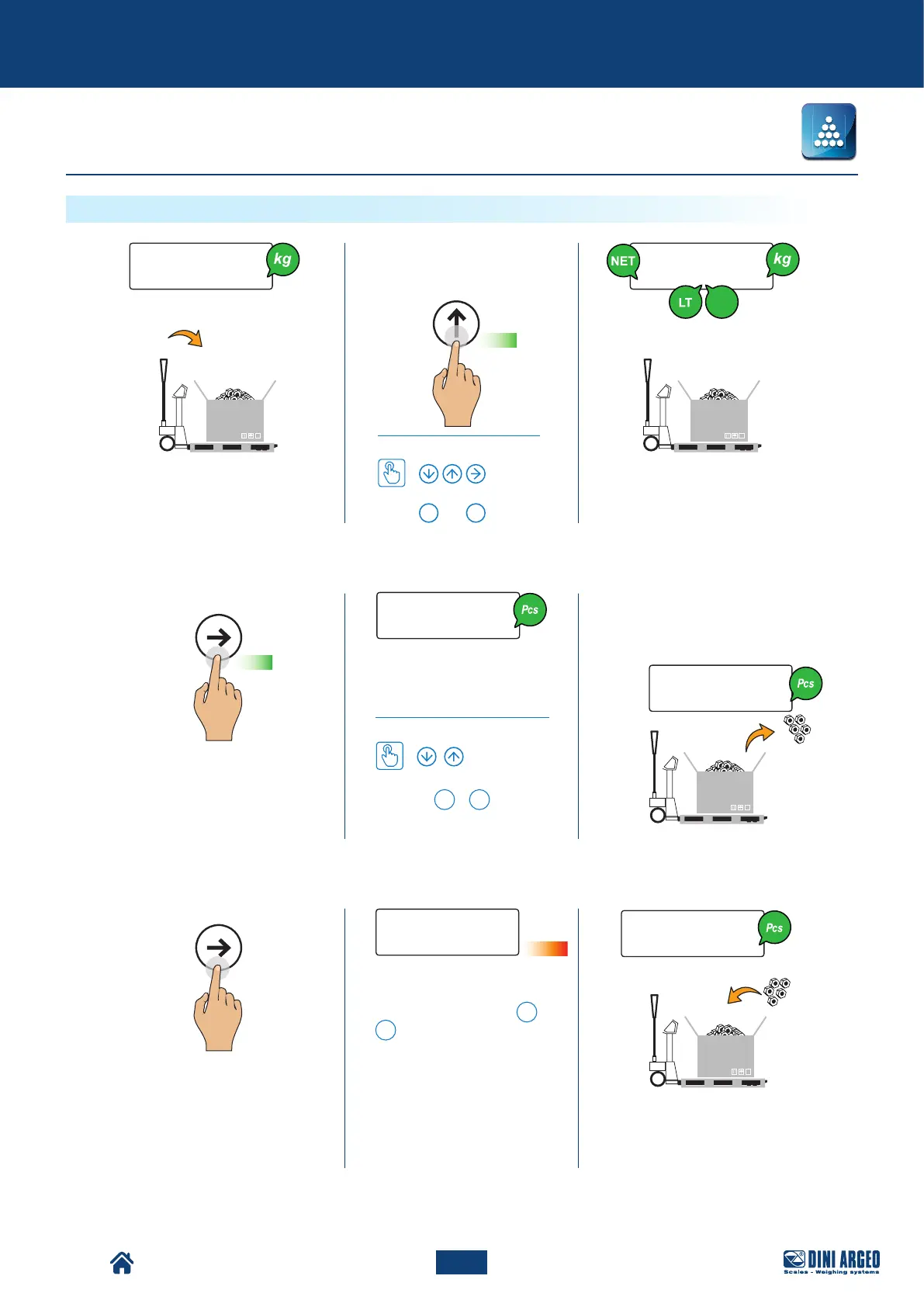
f. Pick up the sampling pieces
(5, 10, 20, 30, 40, 50, 60, 75,
100, 200 pieces).
Total load count
Advanced scale functions
Select the desired reference
quantity (5, 10, 20, ... 200
pieces)
How to set the value
Using the number keyboard,
pressing
F
+
5
allows you
to type in any amount.
Sampling, please wait…
* With the numerical keyboard,
the combination of the
F
+
7
keys allows to modify the
sampling time. The more the
time, the more the sampling
precision.
b. Manually set the tare value (pal-
let + container)
How to set the value
...
0 9
or
Pieces counting


 To Next Page