INSTRUCCIONES · SMARTFINDER LOCALIZADOR SATÉLITE WiFi ·
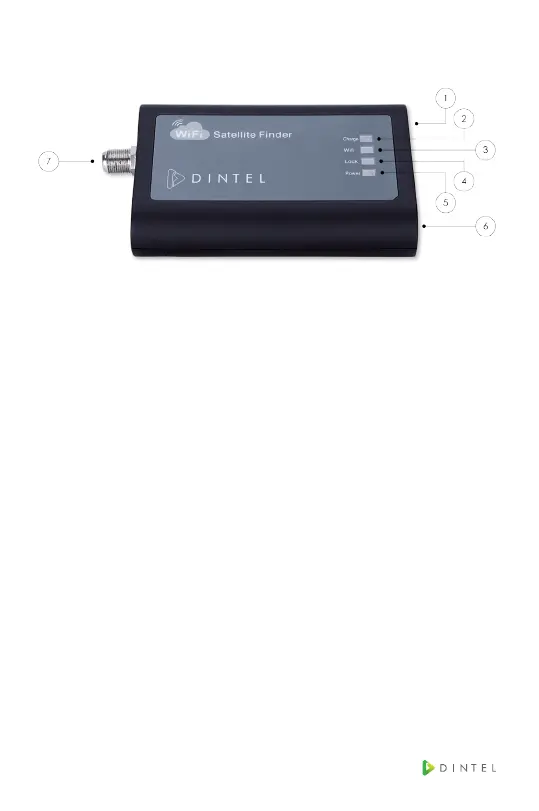
4. FRONT PANEL AND FUNCTIONS
1. DC Input
2. Charge Indicator
3. WiFi Indicator
4. Lock Indicator
5. Power Indicator
6. Switch
7. Signal Input
5. APP OPERATION DESCRIPTION
ConnectWiFi,thenopentheAPP,itwillgointosatel-
lite list interface as show in the next picture. When the
AppisconnectedtoWiFi,theWiFilogowillbecome
blue.



 To Next Page