INSTRUCCIONES · SMARTFINDER LOCALIZADOR SATÉLITE WiFi ·
5.2. FIND
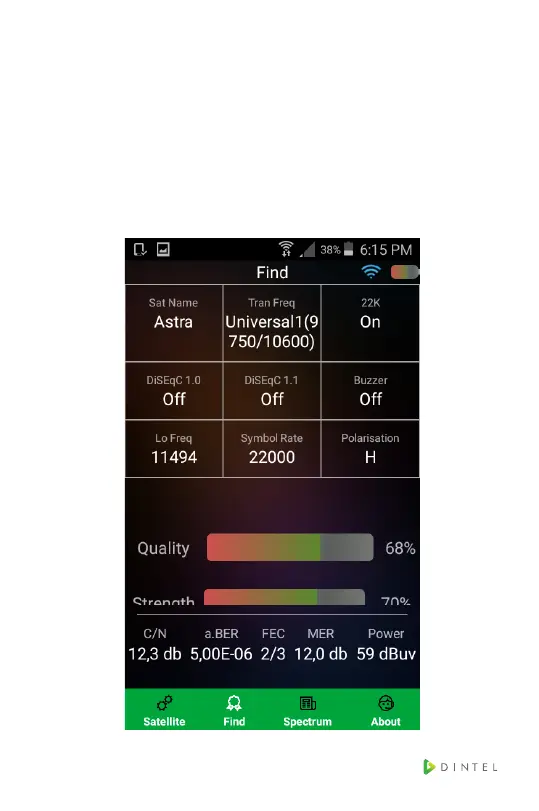
1.Press“Find”togototheinterfaceasbelow.Press
“sat name” to switch satellite. Press “Tran Freq” to
switch LO frequency of LNB, press 22k, DiSEqC1.0,
DiSEqC1.1, buzzer, Lo Freq, Symbol rate polarisation
to switch this parameter. Press the number of Lo Freq
and Symbol Rate. The user can modify the number.



 To Next Page