Dionex ICS-6000 Installation Instructions
88
Doc. 22181-97001 02/18
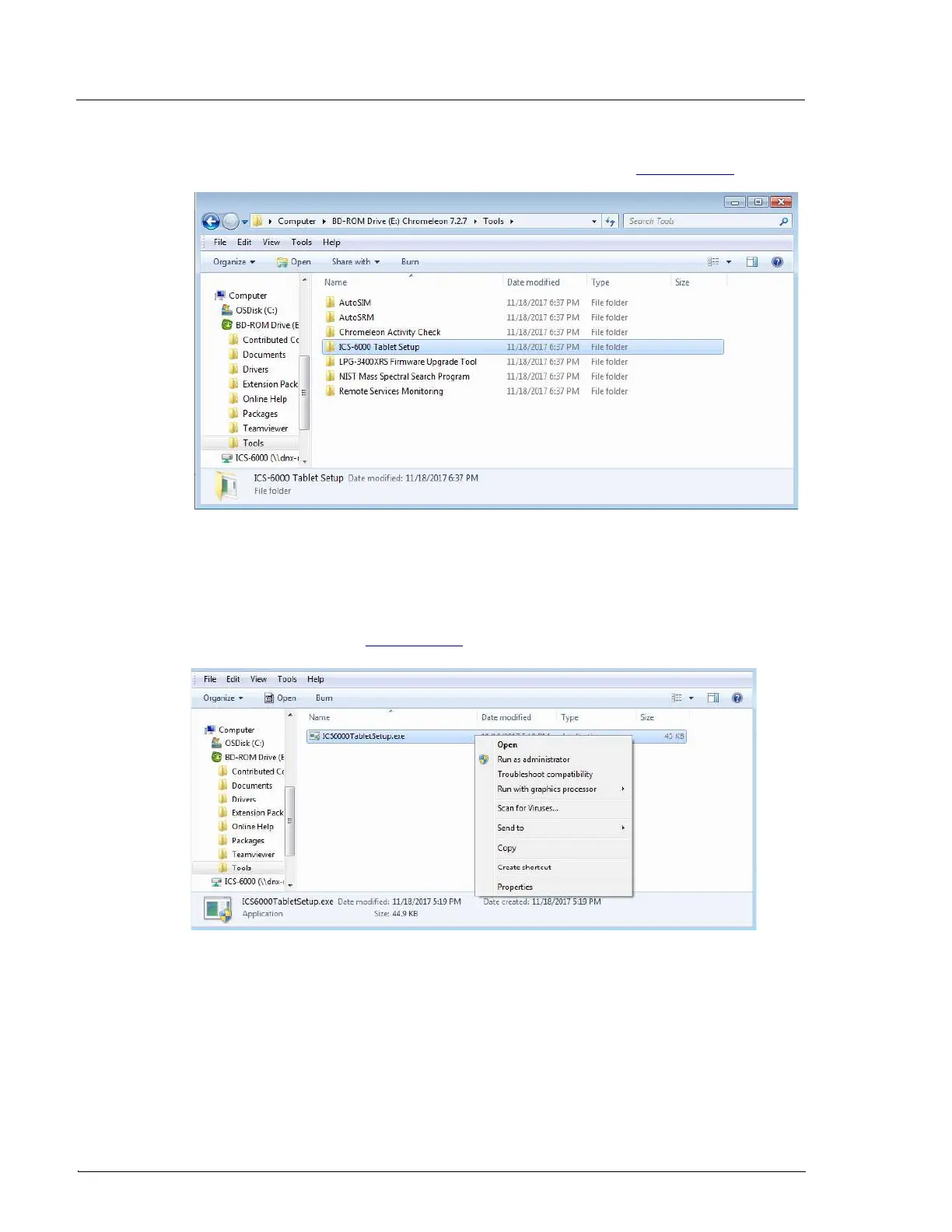
2. Locate the Tools/ICS-6000 Tablet Setup folder (see Figure 3-45).
3. Right-click the folder, and then click Open.
4. Right-click the ICS6000TabletSetup.exe file, and then click Run as
Administrator (see Figure 3-46).
Figure 3-45. ICS-6000 Tablet Setup Utility Location
Figure 3-46. Run the ICS-6000 Tablet Setup Utility



 To Next Page