
 Need help?
Do you have a question about the Dionex UltiMate 3000 Series and is the answer not in the manual?
Explains the manual's layout and structure for user reference.
Details safety warnings, symbols, and general precautions.
Describes the pump's design purpose and applications.
Provides FCC compliance information for Class A digital devices.
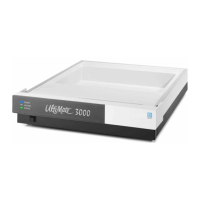
Describes the pump as the heart of the UltiMate 3000 system and its key features.
Lists and describes the different UltiMate 3000 pump models available.
Explains the serial dual-piston pump's operation with compressibility compensation.
Identifies and describes the components on the pump's front panel.
Details the connectors and ports located on the rear panel of the pump.
Outlines necessary environmental and power specifications for installation.
Provides instructions for unpacking the pump and inspecting for damage.
Guides on stacking and interconnecting system modules for optimal setup.
Details how to connect the pump to the computer and system components.
Lists the sequence of steps required to prepare the pump for operation.
Provides general guidelines and precautions for connecting capillaries.
Details how to connect solvent reservoirs and related components.
Guides on setting up the rear seal wash system for pump maintenance.
Explains how to connect the drain tubing for liquid discharge.
Describes the process of rinsing the pump system with solvent.
Guides on equilibrating the HPLC system before starting sample analysis.
Describes the sequence of events when the pump is powered on.
Explains the information displayed on the pump's status screen.
Details how to operate the pump using the Chromeleon software.
Explains how to use function keys and menus for direct pump operation.
Provides specific information on settings and functions for pump operation.
Overviews special functions Chromeleon supports for pump operation.
Lists precautions and procedures for shutting down the pump.
Outlines recommended routine and preventive maintenance schedules.
Introduces features to help identify and eliminate operational problems.
Explains the operational status indicated by the pump block LED.
Describes pump display messages and how to navigate them.
Details messages from Chromeleon diagnostic tests and their causes.
Lists common operating problems, probable causes, and remedial actions.
Covers general precautions before performing maintenance or repair work.
Provides steps to identify, eliminate, and dry leaks detected by the sensor.
Details inspection and maintenance procedures for the rear seal wash system.
Step-by-step guide for replacing the pump's check valve cartridges.
Information on pistons and piston seals, including disassembly and replacement.
Guides on visually inspecting the pump for leaks from piston seals.
Details procedures for removing and installing the pump head and pistons.
Step-by-step guide for replacing the pump's piston seals.
Details the replacement procedure for the capillary mixer.
Guides on replacing the static mixer component.
Steps for replacing the inline filter in ISO-3100 models.
Guides on replacing the inline filter in specific BM pump models.
Describes how to check the permeability of the inline filter.
Provides information on interior components, flow path, and operating principle for ISO-3100.
Details interior components, flow path, and operating principle for LPG-3400.
Covers interior components, flow path, and operating principle for DGP-3600.
Provides details on interior components, flow path, and operating principle for HPG-3200.
Covers interior components, flow path, and operating principle for HPG-3400.
Lists the standard accessories shipped with the pump.
Lists optional accessories available for the pump.
Details consumables and spare parts for the pump, including part numbers.
Details the pin assignments for the digital I/O ports.
Provides pin assignment details for the Solvent Rack port.
 General
| Flow Rate Range | 0.001 to 10 mL/min |
|---|---|
| Flow Rate Accuracy | ±1% |
| Flow Rate Precision | < ±0.1% RSD |
| Pressure Range | 0 to 9000 psi (0 to 62 MPa) |
| Flow Accuracy | ±1% |
| Flow Precision | <0.07% RSD |
| Gradient Mixing | High-pressure or low-pressure mixing |
| Compatible Solvents | Water, methanol, acetonitrile, and other common HPLC solvents |
| Operating Temperature | 4°C to 40°C (39°F to 104°F) |
| Power Requirements | 100-240 V, 50/60 Hz |

 To Next Page

