EasyManua.ls Logo

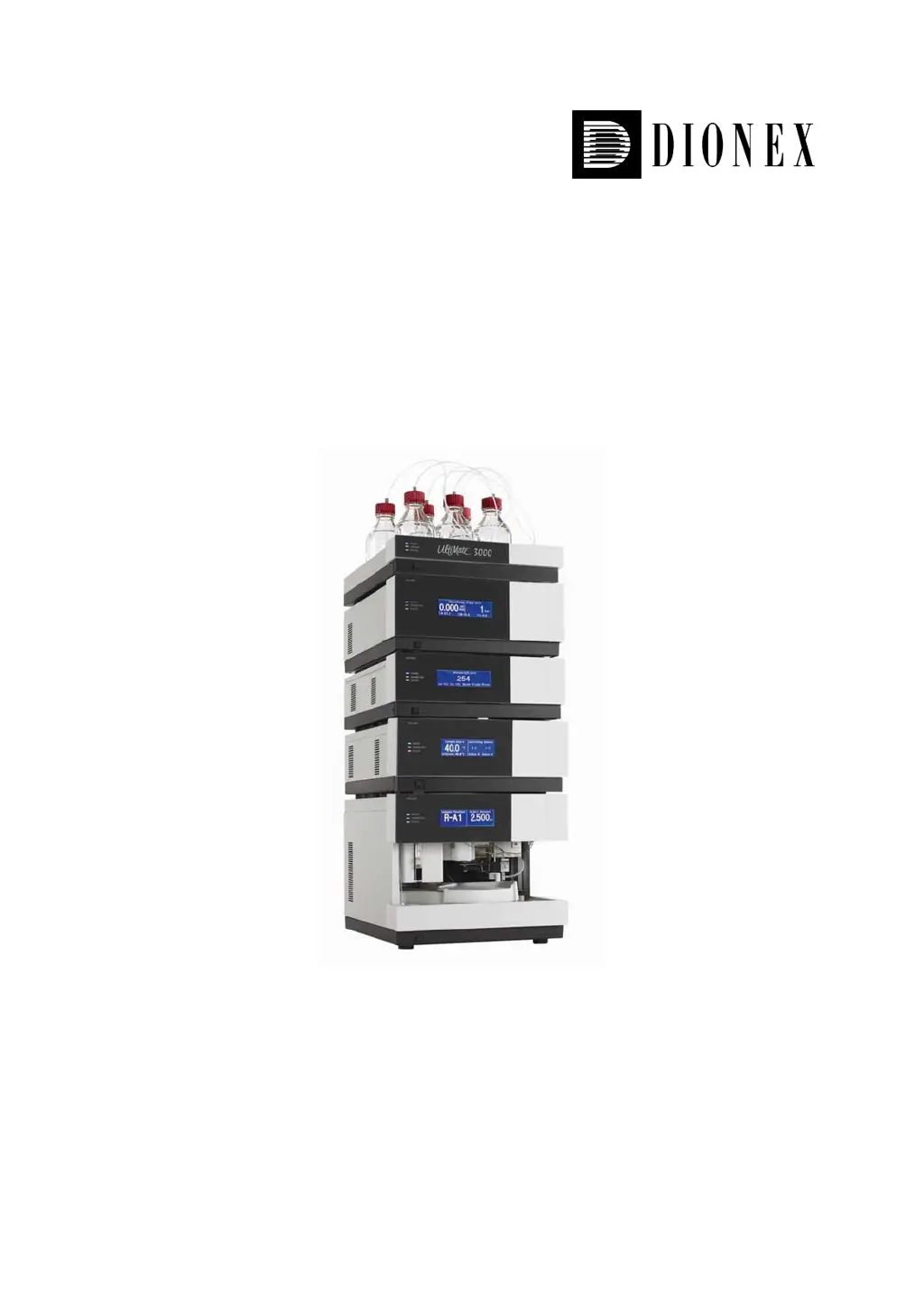
Dionex UltiMate 3000 - User Manual

Dionex UltiMate 3000
73 pages
Print Icon
To Next Page IconTo Next Page
Loading...
UltiMate 3000 Nano and Cap
System Installation and Application
Revision: 1.0
Date: May 2006
©
2006 Dionex

Other manuals for Dionex UltiMate 3000

Questions and Answers

  • L
    Lawrence JensenAug 15, 2025
    Why is there high noise level and pulsation in my Dionex UltiMate 3000 Laboratory Equipment?
    • M
      Marie RobbinsAug 15, 2025
      If your Dionex Laboratory Equipment is experiencing a high noise level with pulsation, this could be due to several reasons. Pressure fluctuations from the pump could be the cause, so prime the pump and check its general function. Gas bubbles in the system can also lead to this issue, so prime the system. Ensure you are using fresh solvent, as degraded solvent can contribute to the problem. If the detector is defective or the lamp is too old, consider contacting Dionex Service or replacing the detector lamp.
  • L
    Louis CarrAug 18, 2025
    What to do if Dionex UltiMate 3000 has very high backpressure?
    • B
      Brenda SmithAug 18, 2025
      If the Dionex Laboratory Equipment system exhibits very high backpressure, it could be due to several reasons. One or more capillaries might be blocked or damaged, in which case you should check, unblock, or replace them. Alternatively, the column could be contaminated or blocked, requiring rinsing or replacement. Lastly, a dirty filter frit on the pump's high-pressure side might be the culprit, necessitating its replacement.
  • R
    Ronald AguilarAug 21, 2025
    What causes peak broadening and increased dead time in Dionex UltiMate 3000?
    • W
      Wendy Lee DDSAug 21, 2025
      Peak broadening and increased dead time in Dionex Laboratory Equipment can occur due to several reasons. The capillary's inner diameter might be too large, requiring a change. Clogged filter frits on the solvent lines or clogged capillaries can also cause this, necessitating a check for permeability or replacement of the capillaries. Other potential causes include a clogged sample loop (replace it), a defective proportioning valve (contact Dionex Service), a contaminated or overloaded column (clean or replace it), degraded solvent (use fresh solvent), or a clogged/defective flow splitter (replace the splitter cartridge).
  • K
    Keith RiggsAug 25, 2025
    Why is there a high baseline drift in my Dionex UltiMate 3000 Laboratory Equipment?
    • J
      Justin GibbsAug 26, 2025
      If you're experiencing high baseline drift with your Dionex Laboratory Equipment, several factors could be contributing. The column might be contaminated, requiring cleaning or replacement. The system might not be sufficiently equilibrated, so flush the system until it reaches equilibrium. Ensure you're using fresh solvent and check the eluent filter frits, as degraded solvent can cause drift. Unstable environmental conditions can also affect the baseline, so maintain constant temperature and humidity. Allow the full detector warm-up time. If none of these steps resolve the issue, the problem might be with the detector.
  • J
    Joanne EllisAug 28, 2025
    How to troubleshoot poor reproducibility (cont'd) in Dionex UltiMate 3000?
    • L
      Lisa JohnsonAug 28, 2025
      If you're still facing poor reproducibility with your Dionex Laboratory Equipment, consider these additional factors. Carry-over might be occurring in the system, so flush the needle using an appropriate solvent. Ensure that the capillary connections are properly installed and tight. Dead volumes in the capillary connections can also cause issues, so replace the fittings.
  • P
    Pamela RobbinsAug 31, 2025
    Why do additional peaks appear in the injection peak of my Dionex Laboratory Equipment?
    • J
      janet80Aug 31, 2025
      When additional peaks appear in the injection peak of your Dionex Laboratory Equipment, it could be due to gradients where the equilibration time after the flush cycle is too short, or the dead volume is too high. To resolve this, increase the equilibration time and/or eliminate any existing dead volume.
  • B
    Brandon SmithSep 3, 2025
    How to fix no display on Dionex UltiMate 3000 Laboratory Equipment LCD screen?
    • V
      Veronica MendozaSep 3, 2025
      If there is no display on the LCD of your Dionex Laboratory Equipment, several factors could be responsible. First, ensure that the instrument is properly connected to the mains and that the power is turned on. If it's in standby mode, press the Standby key on the front panel. Also, check that the brightness and contrast are correctly adjusted. If the fuses blow, replace them. If a replacement fuse blows immediately or there's an error in the electronic system, contact Dionex Service.
  • R
    Richard VasquezSep 7, 2025
    What to do if Dionex UltiMate 3000 Laboratory Equipment doesn't work with Chromeleon?
    • K
      Kim RobinsonSep 7, 2025
      If your Dionex Laboratory Equipment isn't working correctly when controlled by Chromeleon, there might be a connection issue between the instrument and the Chromeleon server PC, so check the connection. Also, verify that the USB port on the computer is ready for operation.
  • M
    mary46Sep 10, 2025
    What causes triangular peaks in Dionex UltiMate 3000 Laboratory Equipment?
    • M
      Michelle MurraySep 10, 2025
      Triangular peaks in Dionex Laboratory Equipment occur when the column is overloaded, meaning the protein concentration is too high. Diluting the sample should resolve this issue.

Summary

Introduction

General

Overview of the document's purpose and scope regarding the UltiMate 3000 system.

Safety Precautions

Essential safety guidelines to prevent personal injury and equipment damage when using the system.

Unpacking

Procedures for inspecting and handling system modules after shipping to ensure no transit damage.

Supported System Configurations

Details on available system modules and their part numbers for various HPLC applications.

Intended Use

Specifies the system's design purpose for routine analysis and research in capillary, nano, and micro HPLC.

Installation

Facility Requirements

Environmental and physical requirements for installing the UltiMate 3000 system in a laboratory setting.

Rear Panel Connectors

Diagram and explanation of how system modules are interconnected via rear panel ports.

Opening the Front Panel

Instructions on how to access internal components by tilting the front panels of system modules.

Preparing the System

Steps for initial system setup, including solvent considerations and drain tubing connections.

Application Examples and Fluid Connections

Manual Injection (Basic Configuration)

Describes the setup and fluid connections for manual sample injection using the system.

Direct Injection

Details the configuration and fluidic pathways for direct sample injection via autosampler.

Preconcentration

Outlines the system setup and fluid connections for sample enrichment using a trap column.

2 D LC Salt Plug

Explains the application and fluid connections for online two-dimensional separation of peptides.

Comprehensive 2 D LC

Details the complex fluidic setup for comprehensive 2D LC peptide separation.

Parallel LC

Describes the configuration and fluid connections for parallel LC to increase separation throughput.

Installing a Trap Column

Guides on installing trap columns to prevent dead volume and ensure accurate results.

Automated Control by Chromeleon

General

Overview of controlling UltiMate 3000 modules with Chromeleon software and required licenses.

Assigning a Flow Splitter to a Pump

Instructions on configuring flow splitter assignments within Chromeleon for pump control.

Recording the Pump Pressure as a Separate Channel

Steps to enable recording column pressure as a separate signal in Chromeleon.

Synchronizing the Autosampler with a Pump

How to synchronize autosampler injections with pump cycles for consistent results.

Displaying the Degasser-Related Parameters

Information on accessing and controlling degasser status via Chromeleon commands.

Soft Key Menus

Troubleshooting

Routine Maintenance

Accessories and Spare Parts

Basic Configuration Kits

Lists essential parts required for configuring the system for different HPLC types.

Direct Injection Kits

Details the kits needed for performing direct injection applications with the system.

Preconcentration Kits

Lists the necessary kits for setting up preconcentration applications on the system.

2 D LC Salt Plug Kits

Identifies kits required for 2D LC salt plug applications, including standard and biocompatible options.

Comprehensive 2 D LC Kits

Specifies kits required for comprehensive 2D LC applications, covering standard and biocompatible versions.

Parallel LC Kits

Lists kits needed for parallel LC configurations, including different HPLC types.

Upgrade Kits

Details kits available for upgrading existing system configurations with flow cells.

Technical Information

Dionex UltiMate 3000 Specifications

General IconGeneral
Operating Temperature4 to 40 °C
Data Sampling RateUp to 100 Hz
Power Requirements100-240 V AC, 50/60 Hz
TypeHigh Performance Liquid Chromatography (HPLC) System
Flow Rate Range0.001 to 10 mL/min
Column Temperature Control4 to 110 °C
Detector OptionsDiode Array Detector (DAD), Refractive Index Detector (RI), Fluorescence Detector (FLD), Charged Aerosol Detector (CAD)
Maximum Pressure620 bar (9000 psi)
Pump TypeQuaternary, Binary
Gradient MixingBinary or Quaternary
Column Oven Temperature Range5°C to 110°C (higher with optional accessories)
Wavelength Range (UV-Vis)190 to 900 nm
SoftwareChromeleon Chromatography Data System (CDS)
Dimensions (H x W x D)Varies by module
WeightVaries by module
Sample Capacity384 well plates

Related product manuals