UltiMate 3000 Nano and Cap - System Installation and Application
51
4.3 Recording the Pump Pressure as a Separate Channel
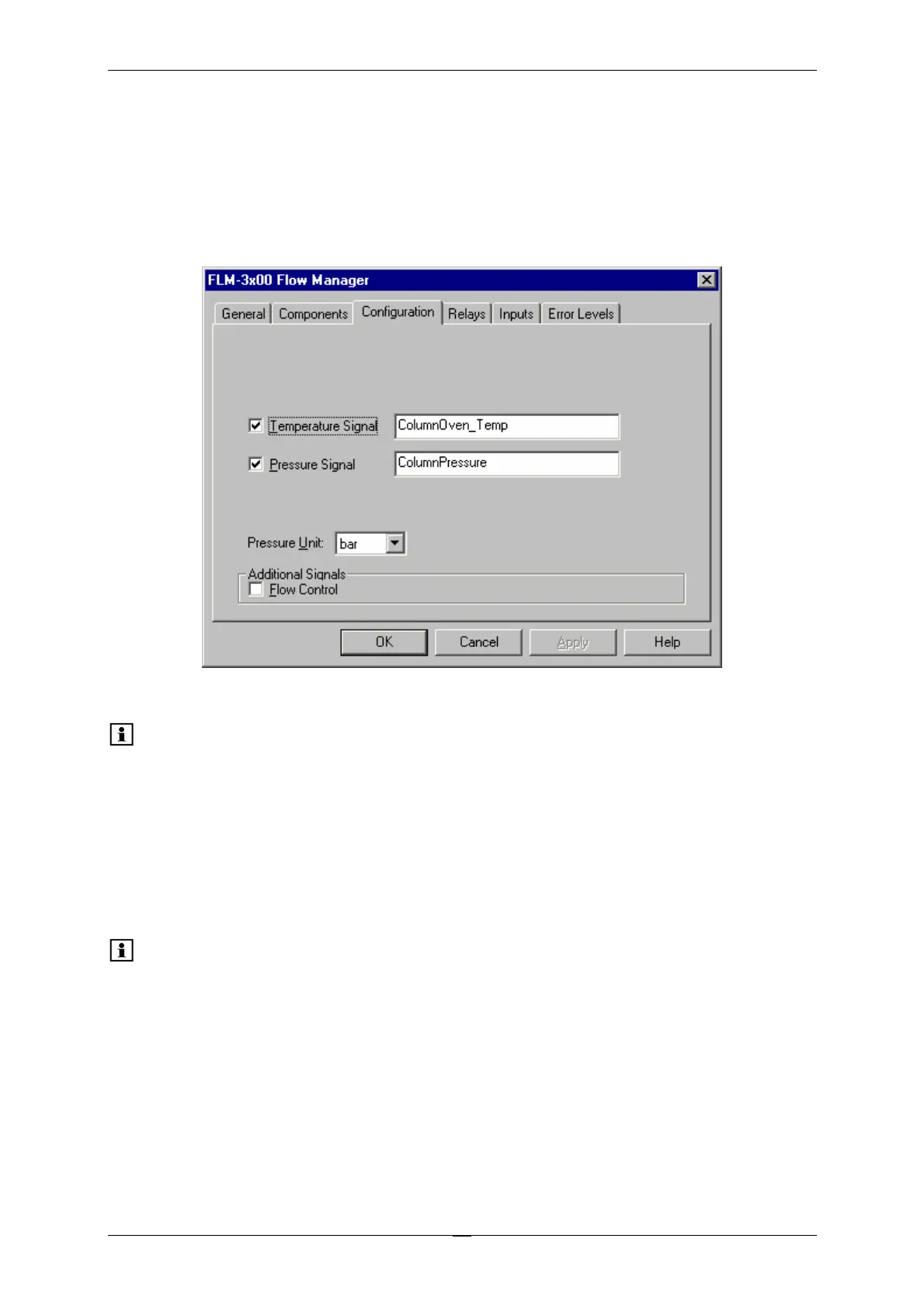
If your system includes a flow manager, the Pressure Signal check box is selected by default
on the Configuration tab page in the flow manager's properties.
Accept this setting if you want to record the column pressure as a separate channel.
Fig. 27: Configuration tab page
Please note: When your UltiMate 3000 system includes one flow manager: Accept the
default name (ColumnPressure), under which the column pressure signal
is identified in the installation environment.
When your system includes more than one flow manger: Adapt the name
for all additional flow managers according to your application. Keep in
mind that you have to re-link the corresponding controls on the related
control panel(s).
Please note: Select the Flow Control check box only if you want to perform
Operational Qualification. When the check box is selected, additional
channels are recorded. The additional values provide valuable information
to Dionex Service for troubleshooting in case the flow manager does not
pass Operational Qualification successfully.



 To Next Page