UltiMate 3000 Nano and Cap - System Installation and Application
49
4.2 Assigning a Flow Splitter to a Pump
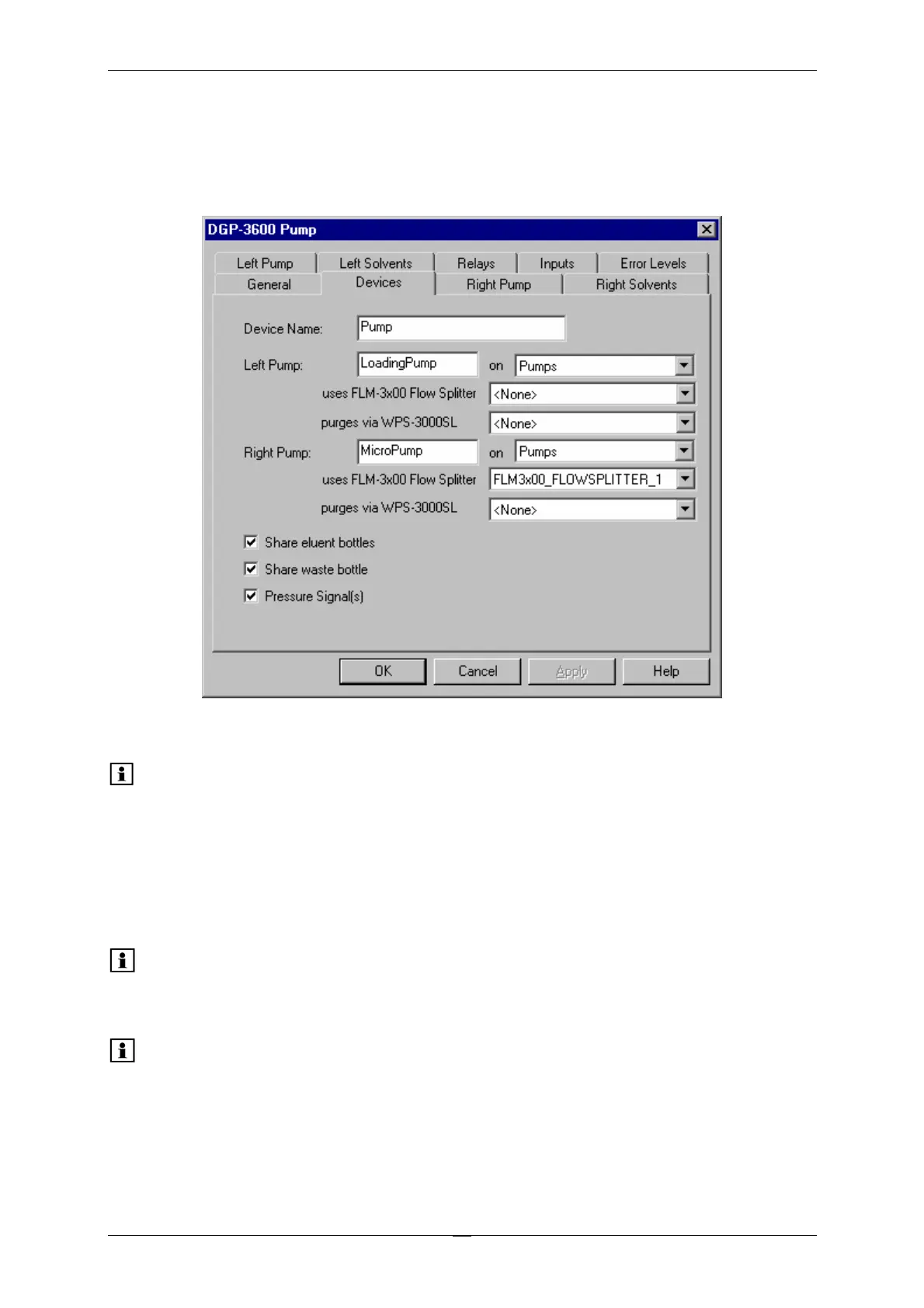
If your system includes an FLM-3000 series flow manager, you can use the Devices tab page
of the pump's properties to specify whether a flow splitter is connected to the pump.
Fig. 26: Devices tab page (here: for a DGP-3600M)
Please note: Flow splitter assignment is possible only if both the pump and the flow
manager are installed in Chromeleon.
The default entry is <None>. To change the setting, click the arrow next to the uses FLM-
3x00 Flow Splitter input field and select the splitter from the drop-down list.
Please note: When you assign a flow splitter to a pump, the pump flow settings apply
directly to the flow on the splitter outlet, i.e., the split ratio is considered
automatically.
Please note: For the standard configuration of the UltiMate 3000 system with a
DGP-3600M pump, Dionex recommends assigning the flow splitter to the
right pump (MicroPump).



 To Next Page