UltiMate 3000 Nano and Cap - System Installation and Application
45
3.7 Installing a Trap Column
Various applications (e.g., Preconcentration, 2D LC Salt Plugs, Comprehensive 2D LC,
Parallel LC) require the installation of one or two trap columns. When installing a trap
column, make sure that the connections are made with no dead (delay) volume, as dead
volume will cause a delay in the elution of the compounds of interest and lead to poor
reproducibility.
The following problems indicate that dead volume has been introduced into the system:
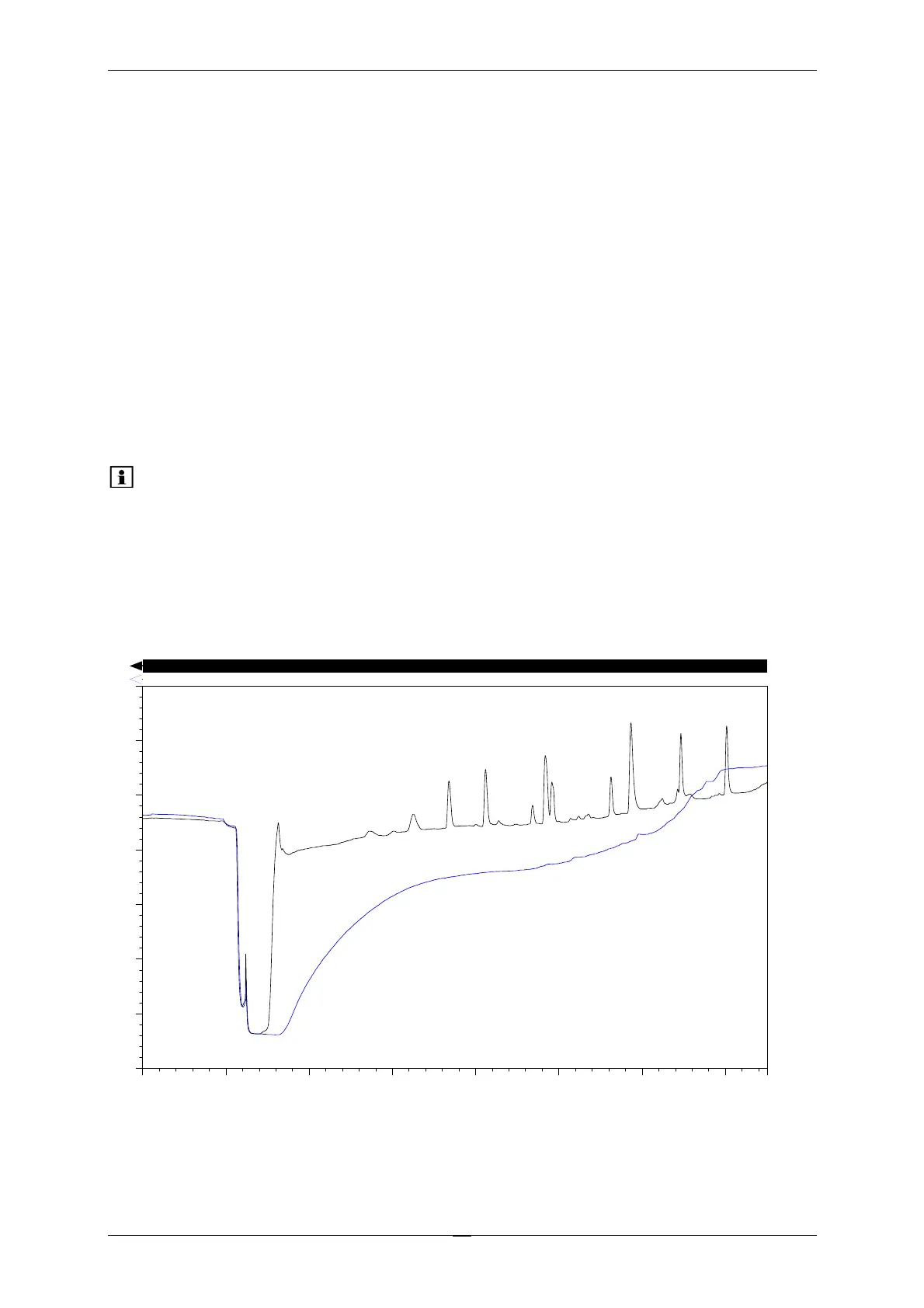
• The injection profile slowly returns to baseline (see Fig. 23)
• The retention times (with known sample) shift to later elution
• The column pressure drop is larger than 10 bar
Please note: The pressure stability option of the UltiMate 3000 system ("Hold
pressure" mode) maintains a constant pressure during valve switching,
however, it is not designed to compensate for dead volumes. Any dead
volume will therefore cause a pressure drop in the column pressure trace.
Fig. 23 represents the chromatogram of a separation with zero dead volume (black line) and
the effect of dead volume on the separation (blue line).
-0.0 5.0 10.0 15.0 20.0 25.0 30.0 37.5
-20.0
-15.0
-10.0
-5.0
0.0
5.0
10.0
15.0
1 - Pre concentration #6 UV_VIS_1
2 - Pre concentration #13 UV_VIS_1
mA U
min
2
1
WVL:214 nm
Fig. 23: Effect of Dead Volume on the Injection Profile and Separation



 To Next Page