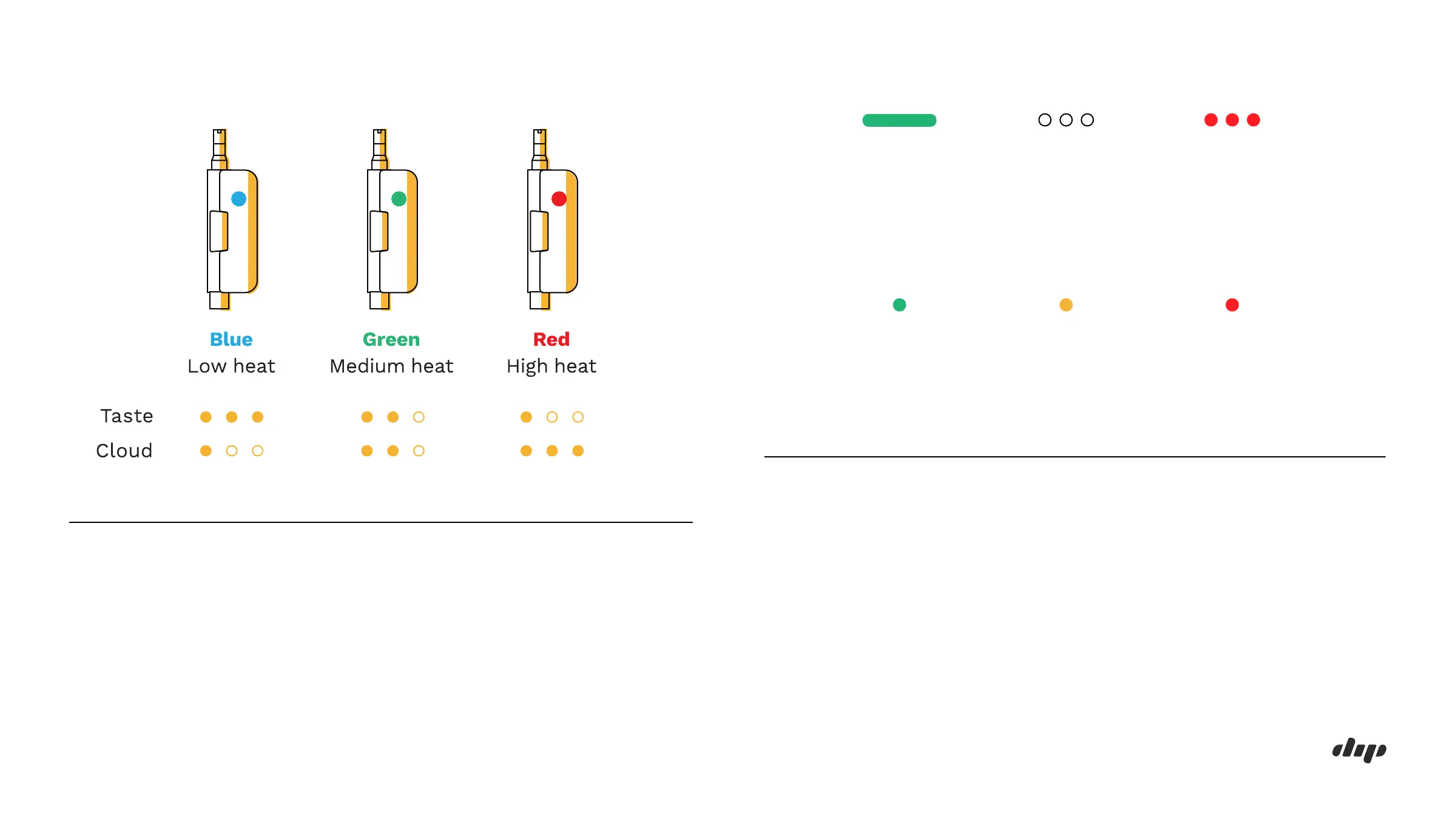
Power Seings
To change the power setting on EVRI, press the button 3 times quickly.
The indicator will blink 3 times to show the new setting.
The recommended setting for this attachment is the GREEN power
setting (3.4 V)
0 4EVRI: VAPOR TIP USER GUIDE
1.
2.
3.
Indicator Codes
While in use: solid color indicating current power setting
When attachment connected incorrectly or not present: 3 white flashes
When battery is completely depleted: 3 red flashes
When attachment connected correctly:
indicator light will flash once, either:
Green - 51-100% battery remaining
Yellow - 21-50% battery remaining
Red - 0-20% battery remaining
Solid Color
Flash 1X
Current
Power
Setting
Flash 1X
21-50%
Battery
Remaining
0-20%
Battery
Remaining
Flash 1X
51-100%
Battery
Remaining
Flash 3XFlash 3X
Attachment
connected
incorrectly or
not present
Battery is
completely
depleted


 To Next Page