13
1-800-634-7328 DirectSupply.com
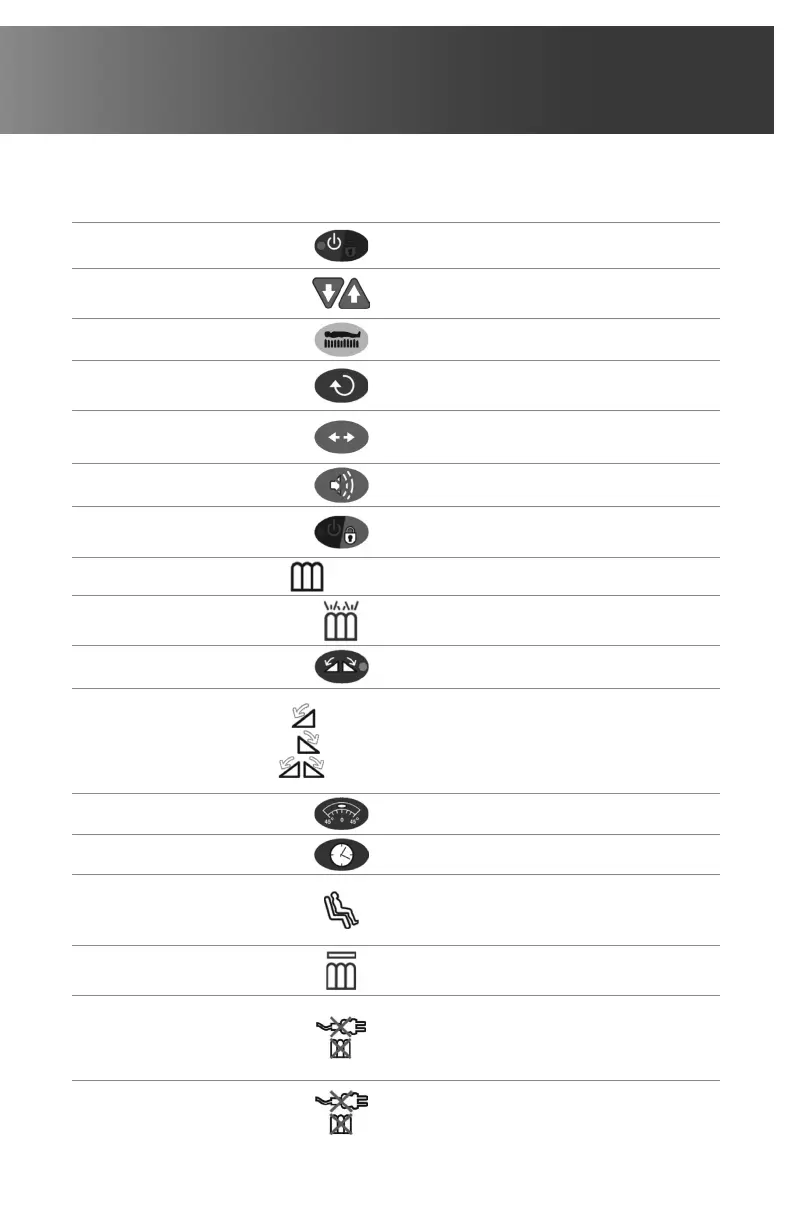
Function
Key or Symbol
Explanation
Power (SB)
Turns unit On/Off.
Green = On Orange = Standby
Soft / Firm (K)
Soft/Firm keys/knob adjusts resident
comfort pressure levels.
Set-Up (H)
Set Resident height and weight.
Mode (M)
Select between therapy modes
(including Rotation mode).
Select (S)
Select between Low Air Loss and
Max Inflate modes.
Alarm Silence (AS)
Alarm Silence – mutes audible alarm.
Lock Out (LO)
Locks out all control unit functions
to prevent tampering.
Static (T)
(K-6oem)
Selects Static Therapy mode.
Low Air Loss (Y)
Activates Low Air Loss mode
Rotation (RO)
Selects Rotation mode.
Rotation Sides
(RT) Right Side
(LT) Left Side
(BT) Both Sides
Right side
Left side
Both sides
Selects side of Rotation therapy
(resident’s side).
Rotation Angle (RA)
Selects Rotation angle.
Rotation Time (TT)
Selects Rotation cycle time.
Fowler (U)
Fowler mode. The pressure will
increase to prevent the resident
from bottoming out.
Max Inflate (W)
Inflates mattress rapidly
(30 minute timer).
Power Fail (PF)
In the event of power failure or if the
hose is disconnected, an audio/visual
alarm will sound.
Low Pressure (LP)
In the event of power failure or if the
hose is disconnected, an audio/visual
alarm will sound.



 To Next Page