Chapter 4
53
Scheduler
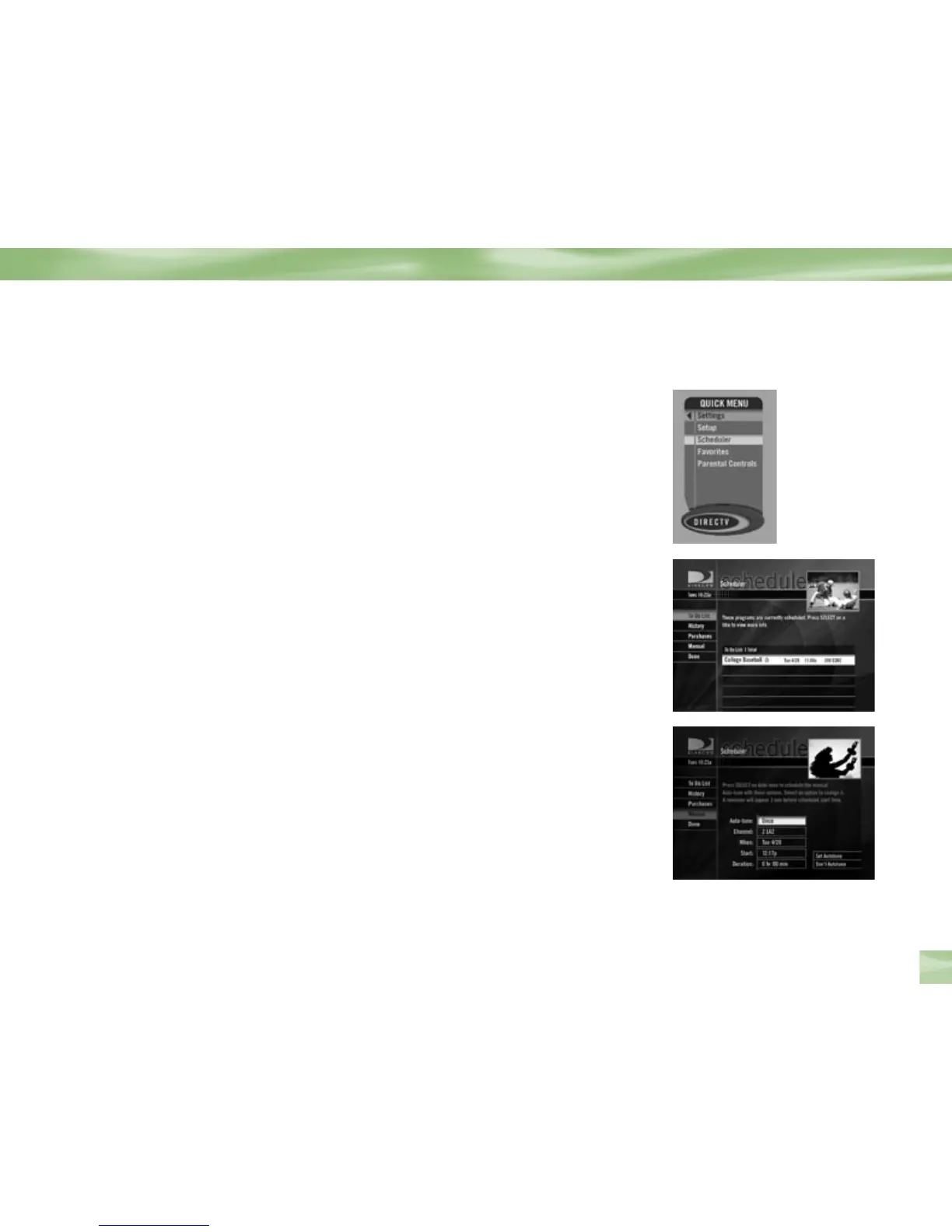
This feature gives you an overview of and access to all the programs you’ve set to autotune or
purchase. From the Quick Menu SELECT Scheduler, and you’ll see the current status screen.
You can choose other options from the menu item to the left.
To Do List
Selecting the To Do List will display all of the upcoming programs you have set to Autotune,
including all pay per view showings. If you did not set an Autotune for a PPV, then it will not
appear here. Highlight program and press SELECT to access its Info screen and make changes.
You can also access the To Do List from your remote by pressing the LIST key.
Schedule History
Displays the past programs (up to 45) you have autotuned or purchased, in reverse
chronological order for easy reference. It also lists items that were cancelled or not tuned
because of conflicts.
Purchases
Here you’ll find a listing of past and future pay per view purchase items. Select an item to
display its Info screen.
Manual
Here you can manually set up an autotune without regard for the program Guide.
For example, you can set your receiver to Autotune to a specific channel at 8 PM Monday
regardless of what’s on. This is useful when recording to a VCR.
Help & Settings



 To Next Page