28
Setting Up Your DIRECTV
®
Sat-Go
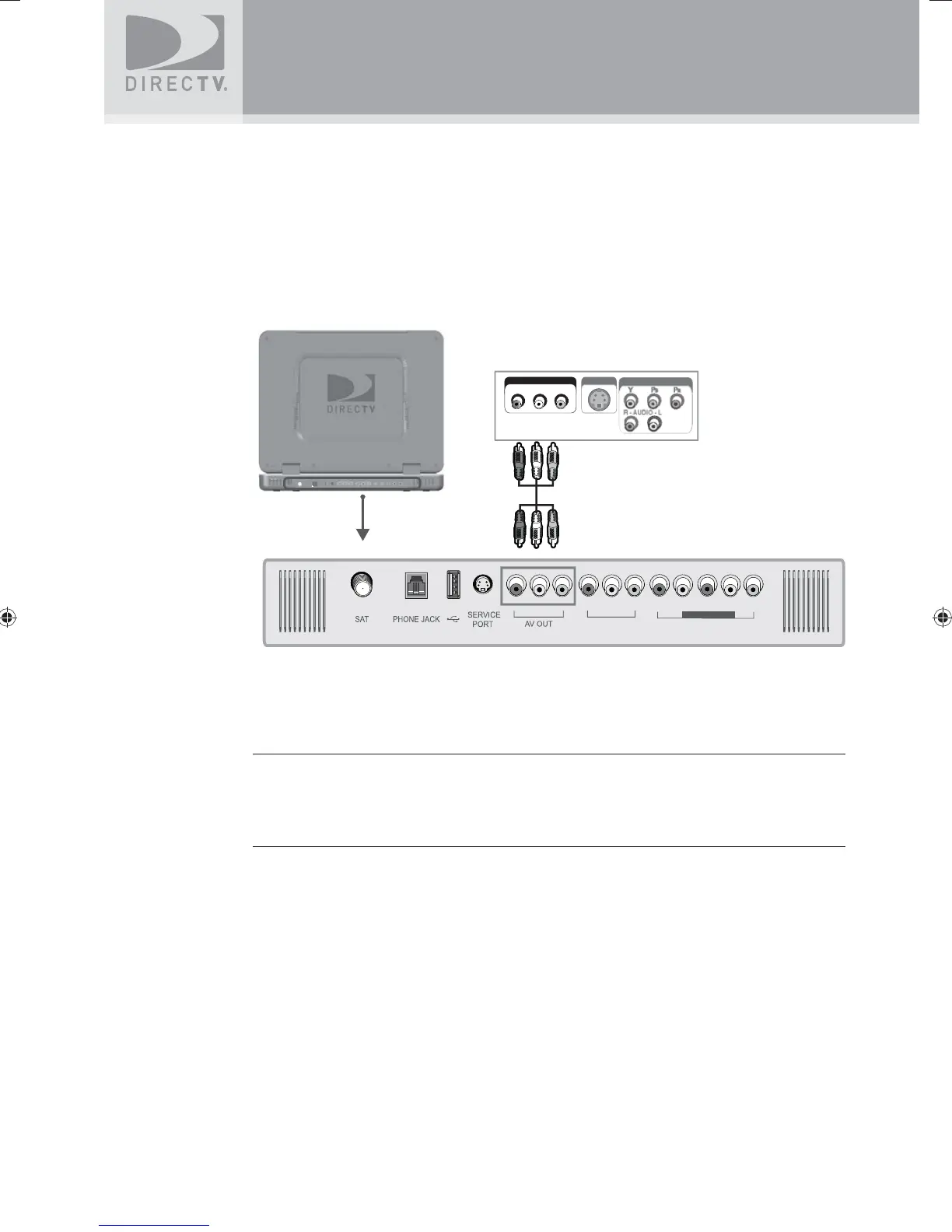
Connecting your DIRECTV Sat-Go system to a second TV
or Monitor
The DIRECTV Sat-Go system has a special signal output capability that allows you to connect a
second TV or monitor to your DIRECTV Sat-Go TV.
1. Connect the video cable to the video input jack on the second TV or monitor and to the
video output jack (AV OUT) on the DIRECTV Sat-Go TV rear connector panel.
2. Connect the audio cable to the audio input jacks (L/R) on the second TV or monitor and to
the audio output jacks (AV OUT) on the DIRECTV Sat-Go TV rear connector panel.
AV IN 1
AV IN 2
COMPONENT
AV IN
S-VIDEO
COMPONENT
R - AUDIO - L
VIDEO
13/18V 450mA Max.
NOTES:
- Neither AV IN 1 nor AV IN 2 can be used for the second TV or monitor out.
- See the Operating Manual of the second TV or monitor for further details regarding
that device’s input settings.
SatGo_03-30-07(converted).indd 28SatGo_03-30-07(converted).indd 28 5/18/07 4:49:05 PM5/18/07 4:49:05 PM



 To Next Page