30
Setting Up Your DIRECTV
®
Sat-Go
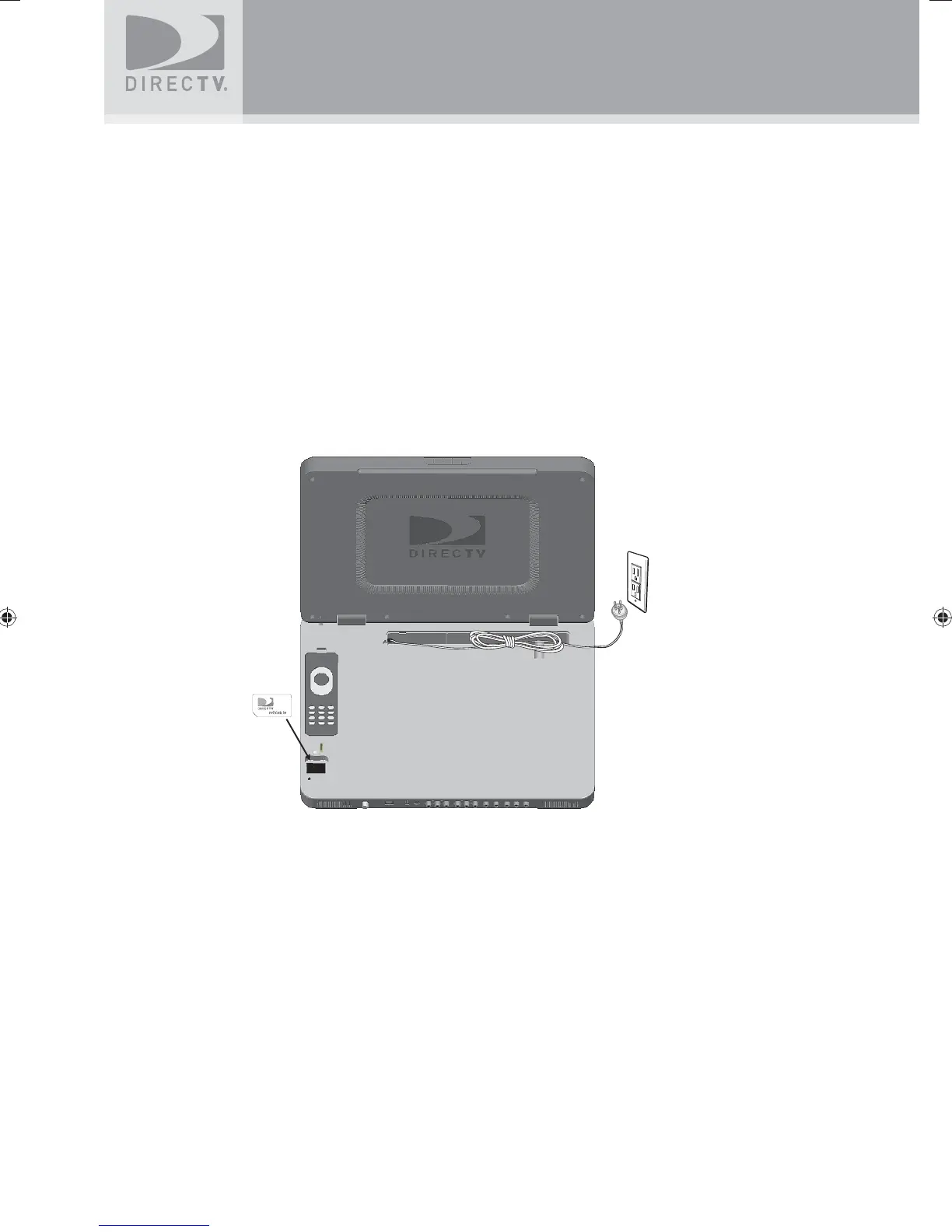
Installing the DIRECTV Access Card
The DIRECTV access card is pre-installed in your DIRECTV Sat-Go TV. The DIRECTV access
card provides the ability to view DIRECTV
®
programming. This card should not be removed
unless Customer Service instructs you to do so and must be properly inserted to obtain
DIRECTV programming. In the event you are directed to replace the access card, please follow
the steps below:
1. Locate the access card case below the remote control compartment in the receiver
2. Remove the access card door and remove the pre-installed access card.
3. Replace the access card with the new one provided by DIRECTV.
Make sure the side with the metal contact is facing toward the receiver when installed.
You may get an onscreen message that says, “Please insert access card” if the card is not
correctly inserted.
Note:
The access card should only be removed when replacing the card with a new
one provided by DIRECTV or your program provider.
SatGo_03-30-07(converted).indd 30SatGo_03-30-07(converted).indd 30 5/18/07 4:49:18 PM5/18/07 4:49:18 PM



 To Next Page