27
3 Operating
G
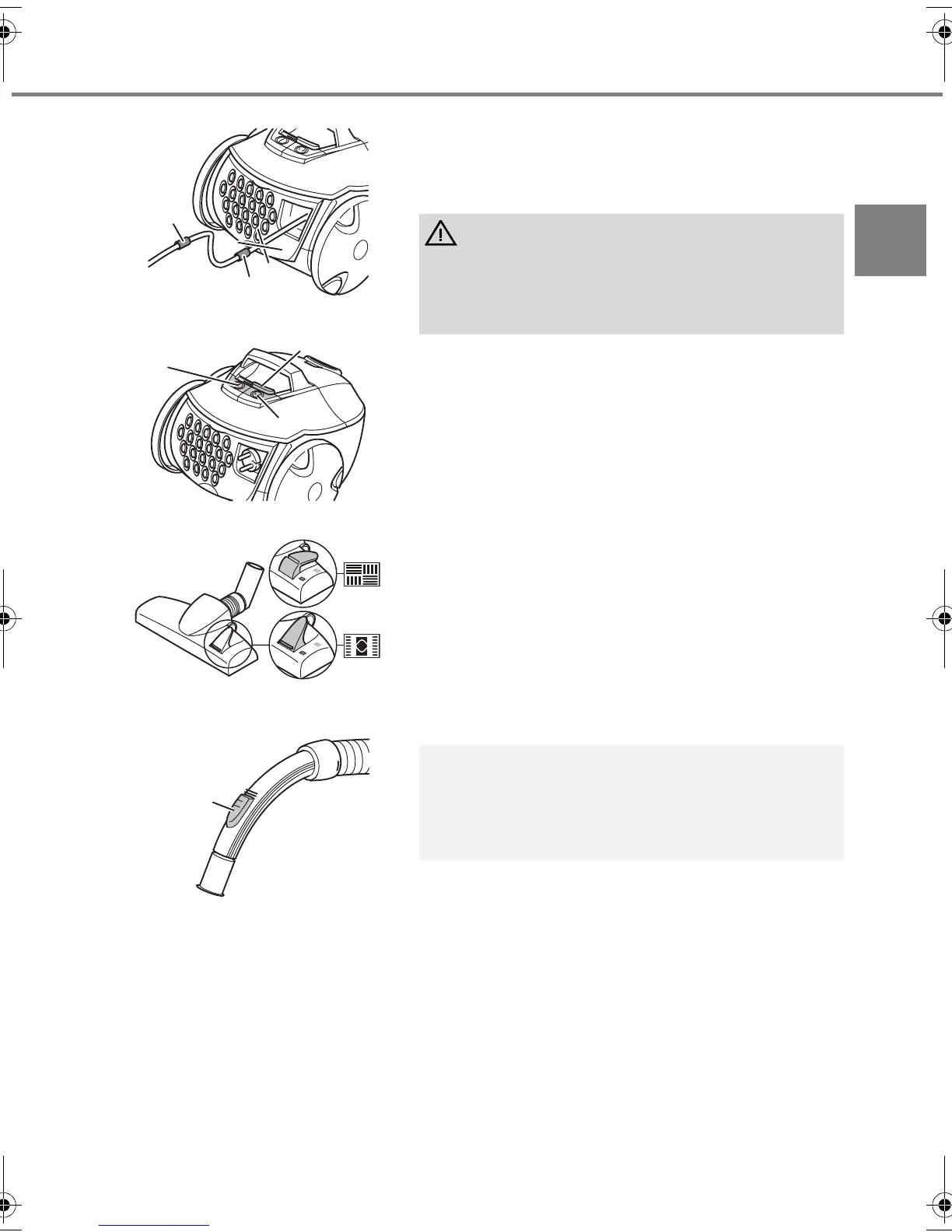
1. Push on the desired nozzle, ZChapter 2.2, "Assembly"
or ZChapter 2.3, "Using other nozzles (accessories)".
2. Remove the cable, by holding the plug, until the yellow
mark is reached (Fig. 10/1).
3. Switch on the cylinder vacuum cleaner using the on/off
switch (Fig. 11/1).
4. Turn on the suction using the suction controller
(Fig. 11/2).
5. Adjust the carpet/hard floor switch (Fig. 12) depending
on the type of flooring:
- Hard floor (Fig. 12/A)
Laminate flooring, tiles, PVC flooring, etc.
- Carpet (Fig. 12/B)
Long and short pile carpets, runners, etc.
6. To vacuum, pull the cylinder vacuum cleaner behind
you like a sledge. Observe the corresponding
recommendations of the flooring manufacturer.
WARNING:
If the red mark (Fig. 10/2) is visible, use the cable retract
button (Fig. 11/3) to draw the cable in again up to the
yellow mark. Otherwise the cable can break off. There is
a risk of electric shock.
NOTE:
You can quickly reduce the suction power with the
secondary air controller (Fig. 13/1) if less suction power
is required or e. g. to release objects that have been
sucked in.
Fig.10
1
2
Fig.11
1
2
3
Fig.12
B
A
Fig.13
1
M7020.book Seite 27 Donnerstag, 22. März 2007 5:17 17



 To Next Page