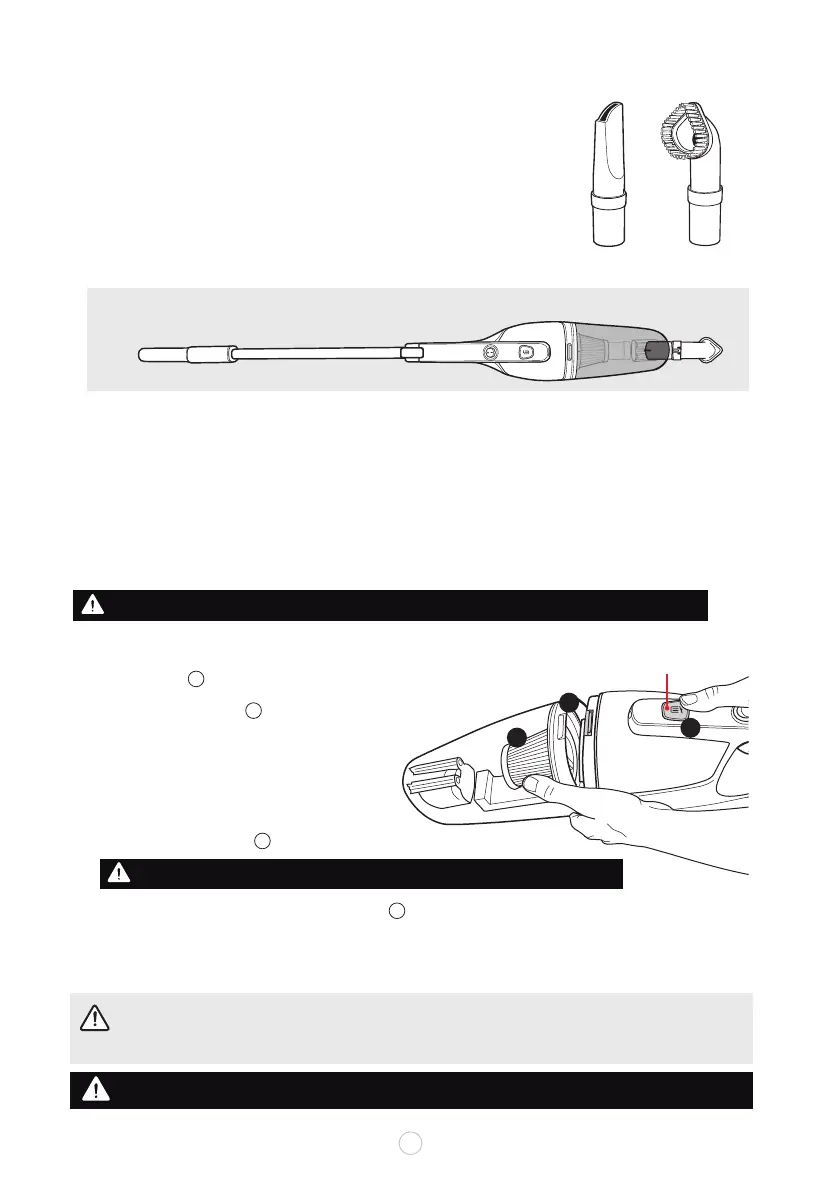
Dust Bin
Release Button
Use the provided CREVICE TOOL for narrow suction dirt and debris
between cushions, in corners, and along wall and counter-top edges.
Can be used on blinds, lamp shades, vents and other narrow areas.
Use the SOFT BRUSH attachment on fabrics, curtains, cushions and
more delicate surfaces. Avoid adding pressure to allow the brush to help
with the suction on textiles.
CAUTION:
Before assembling or disassembling unit and accessories, always ensure that the
appliance has been unplugged from the wall outlet! Make sure that the appliance is switched off
and unplugged.
WARNING: Do not operate cleaner with damp or wet lters or without lter in place.
If suction power seems to diminish, it may be time to empty the dust bin or clean or replace the lter.
WARNING: NEVER OPERATE THE APPLIANCE WITHOUT DUST BIN FILTER IN PLACE.
u
EMPTYING AND CLEANING
To achieve the best performance, empty the dust bin and clean the dust bin filter after every use.
Always switch off and unplug the appliance from the ac power outlet before any maintenance or cleaning.
• Clean the outside of the appliance and inside the dust bin with a damp cloth. Dry thoroughly before use.
• Never immerse the appliance in the water.
TO REMOVE THE DUST BIN, press down on the dust bin
release button and pull off over a trash can trash bag.
Pull off the dust bin filter .
Empty the debris from the dust bin.
Clean the unattached dust bin filter and dust bin
under running water. Dry thoroughly. Do not use
abrasive or chemical cleaning agents.
Replace the dust bin filter back into the dust bin.
Reattach the dust bin to the main body until tab clicks into place.
B
A
B
B
A
C
C
v
w
x
y
U
CLEANING AND MAINTENANCE
NOTE: Can also use soft brush or crevice tools attached to the long handle
for high places, draperies, blinds and walls.
Crevice Tool Brush Tool
7
ACCESSORY ATTACHMENTS
OPERATING INSTRUCTIONS
u
v



 To Next Page