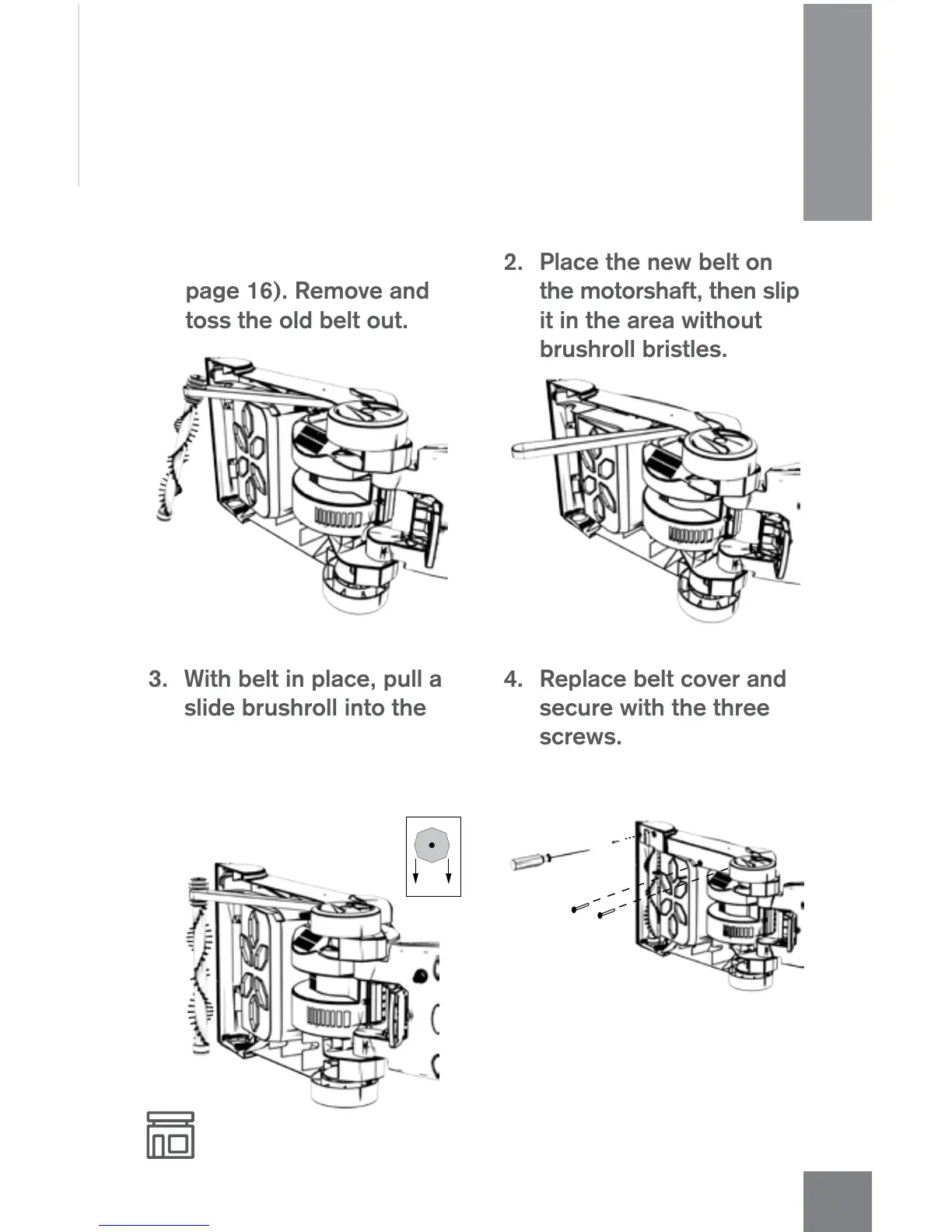
REPLACE THE BELT
1. Take off cover (Refer to
page 16). Remove and
toss the old belt out.
2. Place the new belt on
the motorshaft, then slip
it in the area without
brushroll bristles.
4. Replace belt cover and
secure with the three
screws.
A
Any other servicing should be done by an authorized service representative. If appliance is not
working as it should, has been dropped, damaged, left outdoors, or dropped into water,
take it to a service center prior to continuing use.
3. With belt in place, pull and
slide brushroll into the
nozzle, making sure that
the brushroll ends are in
the correct orientation (A).
HOW TO
17




 To Next Page