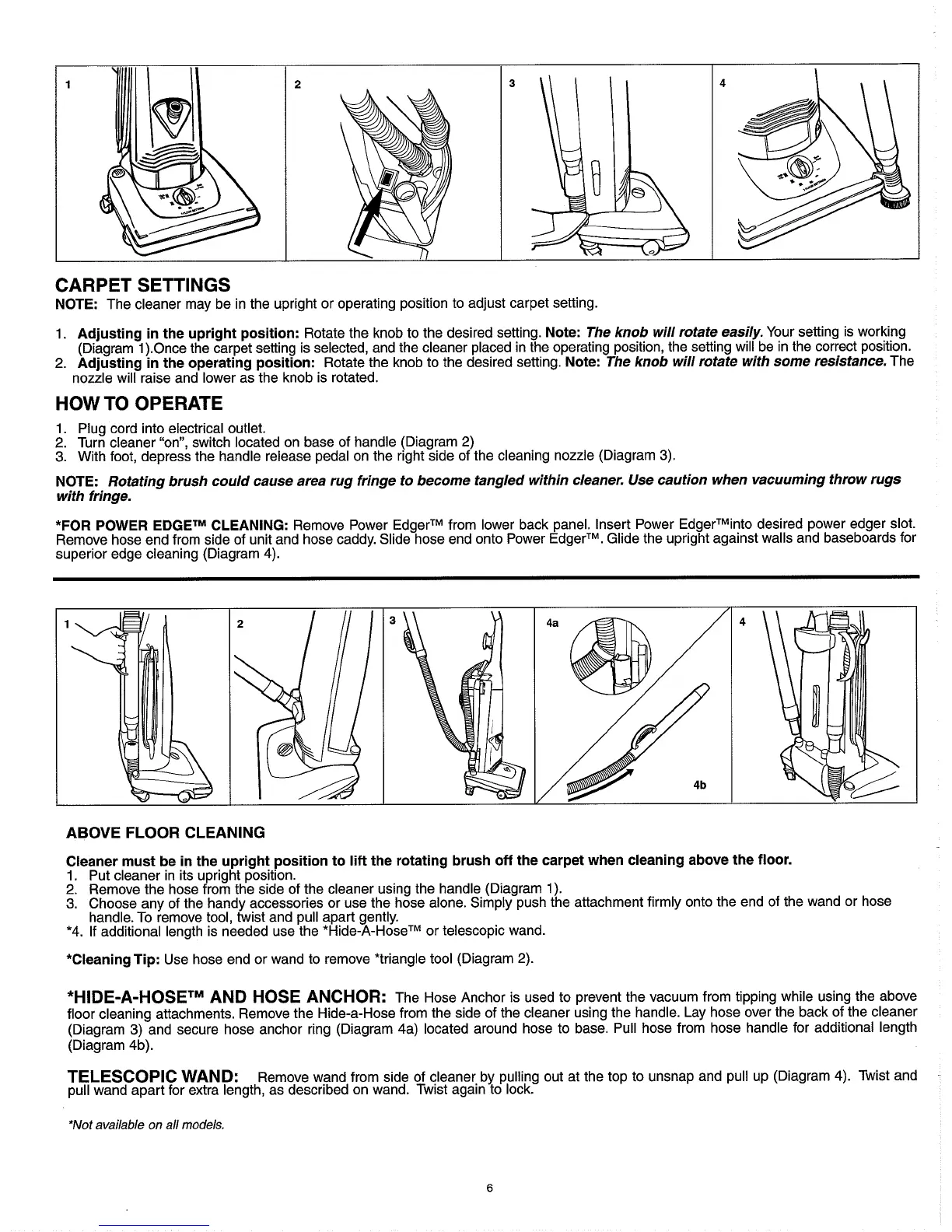
CARPET SETTINGS
NOTE: The cleaner may be in the upright or operating position to adjust carpet setting.
1. Adjusting in the upright position: Rotate the knob to the desired setting. Note:
The knob will rotate easily.
Your setting is working
(Diagram l).Once the carpet setting is selected, and the cleaner placed in the operating position, the setting will be in the correct position.
2.
Adjusting in the operating position: Rotate the knob to the desired setting. Note:
The knob will rotate with some resistance.
The
nozzle will raise and lower as the knob is rotated.
HOW TO OPERATE
1.
Plug cord into electrical outlet.
2.
Turn cleaner "on", switch located on base of handle (Diagram
2)
3.
With foot, depress the handle release pedal on the right side of the cleaning nozzle (Diagram
3).
NOTE:
Rotating brush could cause area rug fringe to become tangled within cleaner. Use caution when vacuuming throw rugs
with fringe.
*FOR POWER
EDGETM
CLEANING: Remove Power EdgerTM from lower back panel. Insert Power EdgerTMinto desired power edger slot.
Remove hose end from side of unit and hose caddy. Slide hose end onto Power EdgerTM. Glide the upright against walls and baseboards for
superior edge cleaning (Diagram 4).
ABOVE FLOOR CLEANING
Cleaner must be in the upright position to
lift
the rotating brush off the carpet when cleaning above the floor.
1. Put cleaner in its upright position.
2.
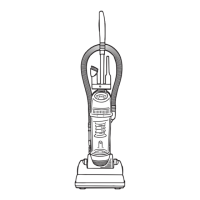
Remove the hose from the side of the cleaner using the handle (Diagram 1).
3.
Choose any of the handy accessories or use the hose alone. Simply push the attachment firmly onto the end of the wand or hose
handle. To remove tool, twist and pull apart gently.
*4. If additional length is needed use the *Hide-A-HoseTM or telescopic wand.
*Cleaning Tip: Use hose end or wand to remove *triangle tool (Diagram
2).
*HIDE-A-HOSETM AND HOSE ANCHOR:
The Hose Anchor is used to prevent the vacuum from tipping while using the above
floor cleaning attachments. Remove the Hide-a-Hose from the side of the cleaner using the handle. Lay hose over the back of the cleaner
(Diagram
3)
and secure hose anchor ring (Diagram 4a) located around hose to base. Pull hose from hose handle for additional length
(Diagram 4b).
TELESCOPIC WAND:
Remove wand from side of cleaner by pulling out at the top to unsnap and pull up (Diagram
4).
Twist and
pull wand apart for extra length, as described on wand. Twist again to lock.
*Not available on all models.




 To Next Page