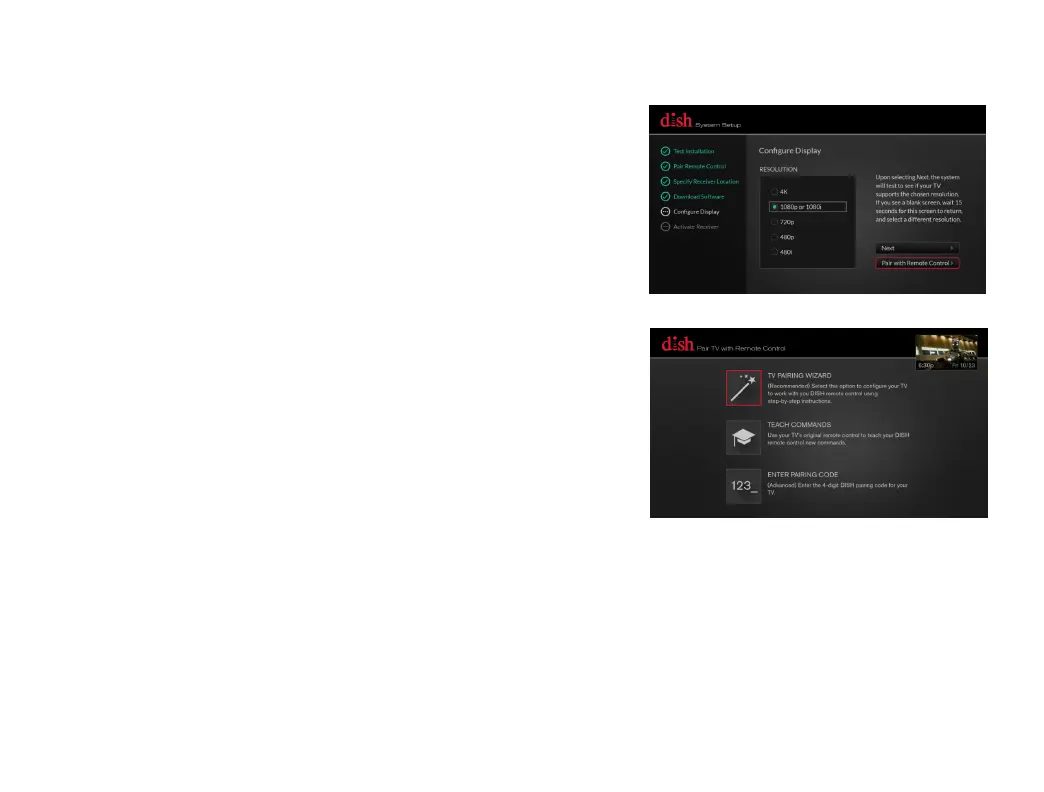
c.
Using the arrows on your remote control,
highlight
"
Pair with Remote Control,"
and then press the SELECT button on
your remote control.
d.
Using the arrows on your remote control,
highlight "TV PAIRING WIZARD" and then
press the SELECT button on your remote
control. The TV Pairing wizard will now
walk you through step-by-step
instructions to configure your TV to work
with your DISH remote control.
8.
Setting Your TV Configuration (Cont’d)


 To Next Page