9.
Activating Your Hopper
a.
b.
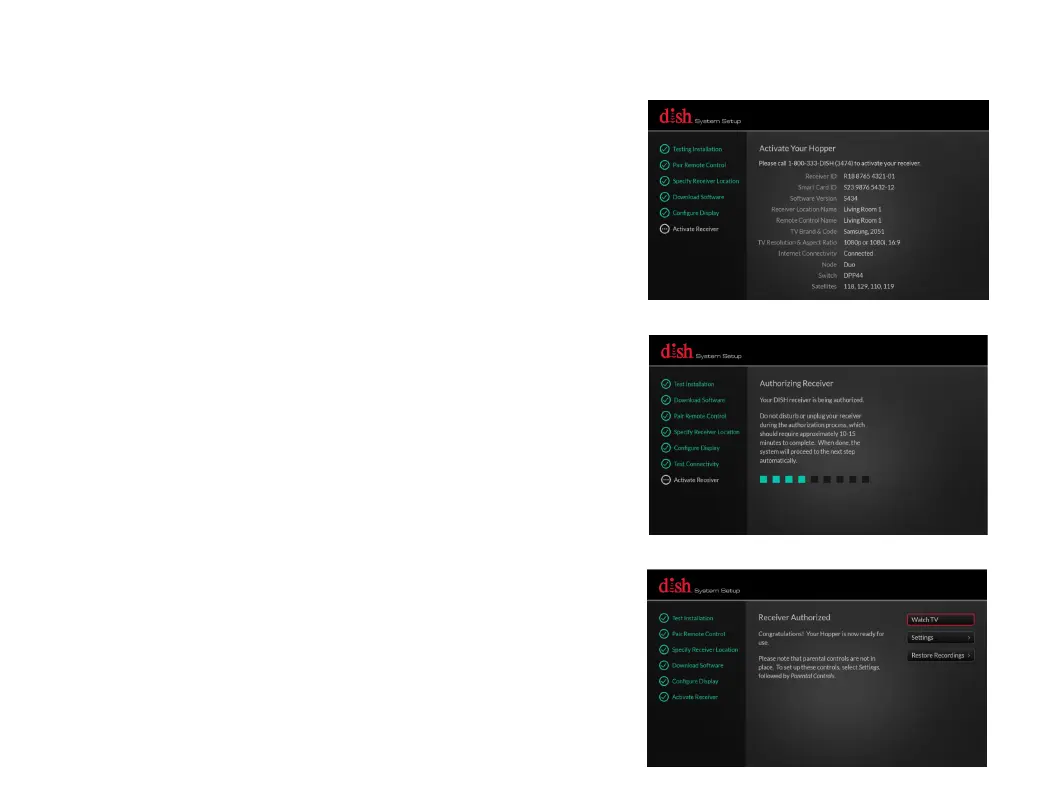
Once your Hopper is activated, the
System Setup wizard will authorize your
Hopper. This process will take 10-15
minutes to complete. Once complete,
the System Setup wizard will
automatically proceed to the next step.
c.
To begin using your Hopper, use the
arrows on your remote control to
highlight "Watch TV" and then press
the SELECT button on your remote
control.
Please call 1-800-333-DISH (3474) to
activate your Hopper. Have your
Receiver ID and Smart Card ID ready
for the DISH representative you
speak with.


 To Next Page