Dual Mini Synthesizer Build Instructions
Page 4/4
13
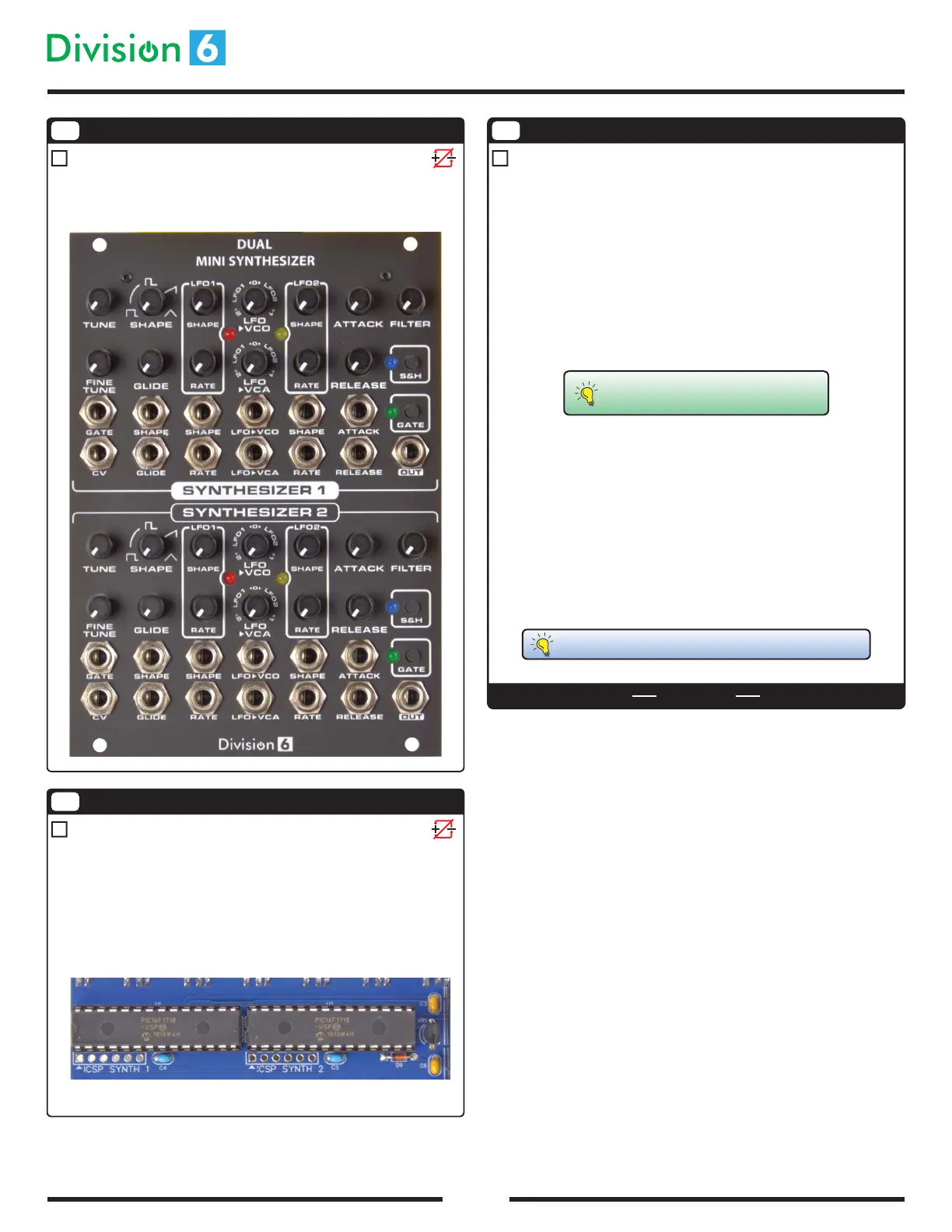
Install Front Panel
Place the front panel on the module. Install the hex nuts on all the jacks.
Screw the two black screws into the standos to hold the top of the panel in
place.
14
Install Microcontrollers
Before inserting U1 and U2 into their sockets, you may need to bend the pins
inward a bit so that they’ll line up with the holes. Lay each IC on its side on a
at surface, then gently press down on the top of the chip so that the pins
bend evenly. Repeat for the other side of each chip.
Insert the chips into their sockets, making sure that the pin 1 notches on each
chip and socket are aligned with each other. Both ICs are identical, so it
doesn’t matter which chip goes into which socket.
15
Power Up
THE END
That’s it, you’re nished! It’s time to test out your handiwork. Connect the
module to a Eurorack power supply using the provided cable. Turn on the
power.
Both the synthesizers should blink their rmware revisions on the LEDs, then
the LFO LEDs should start blinking at LFO rate.
Connect the OUT jack to an amplier/speaker. Make sure the FILTER pot is all
the way up and LFO>VCO and LFO>VCA are set to the 12:00 positions. Press
the GATE button; you should hear some audio.
Now you can use the controls to dial in the sound you want.
Troubleshooting:
· If the module has no power at all, check to make sure the diode is
installed the right direction. Also use a voltmeter to verify that your
Eurorack power supply is working.
· If any LED seems to be stuck on, it may be installed backwards.
· For any other problems, start by checking all your solder joints. They
should look shiny and smooth, not dull. Look for blobs and shorts
between adjoining pads.
Calibration instructions can be found at
division-6.com/dualsynth
Still have problems? Email us at support@division-6.com!



 To Previous Page
 Loading...