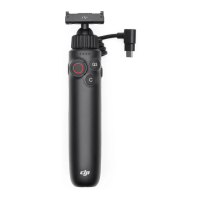
Quick Switch Button
When the charging handle is connected to the camera, the follow-
ing operations can be performed:
• Press and hold: Power o the camera.
• Press once: Power on the camera or switch between shooting
modes.
Shutter/Record Button
• Press once: Take a photo or start/stop recording. When the
camera is in sleep mode, press once to start SnapShot. Note
that the shutter/record button can be used to control the
camera only when the charging handle is connected to the
camera.
C Button
• Press once: Switch the front and back touchscreen when us-
ing single screen preview.
Osmo Action Multifunctional Charging Handle User Guide
© 2024 DJI All Rights Reserved. 5


 To Next Page