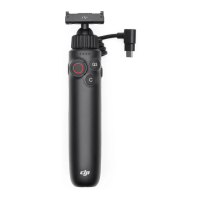
1 Product Prole
1.1 Overview
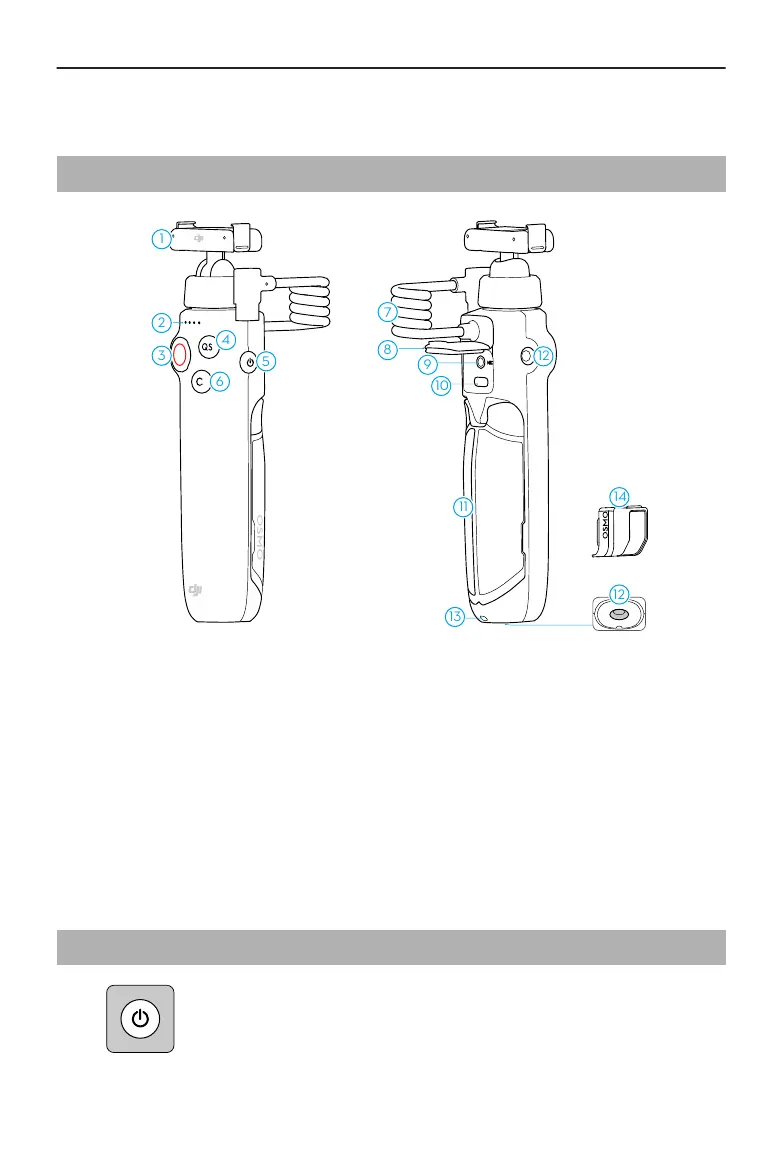
1. Magnetic Ball-Joint Quick-Release
Adapter Mount
2. Status LED
3. Shutter/Record Button
4. Quick Switch Button
5. Power Button
6. C Button
7. USB-C Connector
8. USB-C Port Protective Cover
9. 3.5mm TRS Microphone Input
10. USB-C Charging Port
11. Foldable Tripod
12. 1/4″ Thread Hole
13. Lanyard Hole
14. Charging Port Protector
1.2 Button Features
Power Button
• Press and hold: Power on/o the charging handle.
Osmo Action Multifunctional Charging Handle User Guide
4 © 2024 DJI All Rights Reserved.


 To Next Page