Need help?
Do you have a question about the djive FLOWMATE ARC CASUAL and is the answer not in the manual?
Covers essential safety measures for electrical appliances, including usage by children, power outlet use, and cord handling.
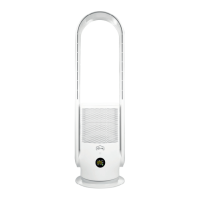
Diagram illustrating the front view of the device with labeled components such as air outlet, air inlet, and base.
Explanation of the symbols and indicators displayed on the device's LED screen, including mode, WiFi, and air quality.
Details the remote control layout, modes (Natural, Boost, Sleep, Auto), and operational functions like oscillation and UV sterilization.
Covers battery replacement procedure for the remote control and important warnings regarding usage and potential issues.
Instructions on how to adjust the tiltable ventilation arc of the fan body up to 15 degrees.
Details on how to switch the device on/off and adjust air volume levels using the main body power button.
Information about the HEPA 14 filter, its replacement indicator, and the step-by-step guide for installation or replacement.
Essential steps for maintenance including unplugging the device and cleaning the housing with soft cloths.
Instructions for cleaning air inlets/outlets, power plug, remote control, and guidelines for safe storage.
Steps to connect the device to Wi-Fi, indicated by a flashing and then permanent Wi-Fi icon on the display.
Lists key technical details such as model, voltage, oscillation range, rated power, timer settings, and scope of supply.
 General
| Brand | djive |
|---|---|
| Model | FLOWMATE ARC CASUAL |
| Category | Air Cleaner |
| Language | English |

 To Next Page