EasyManua.ls Logo

djive Flowmate Tower One - User Manual

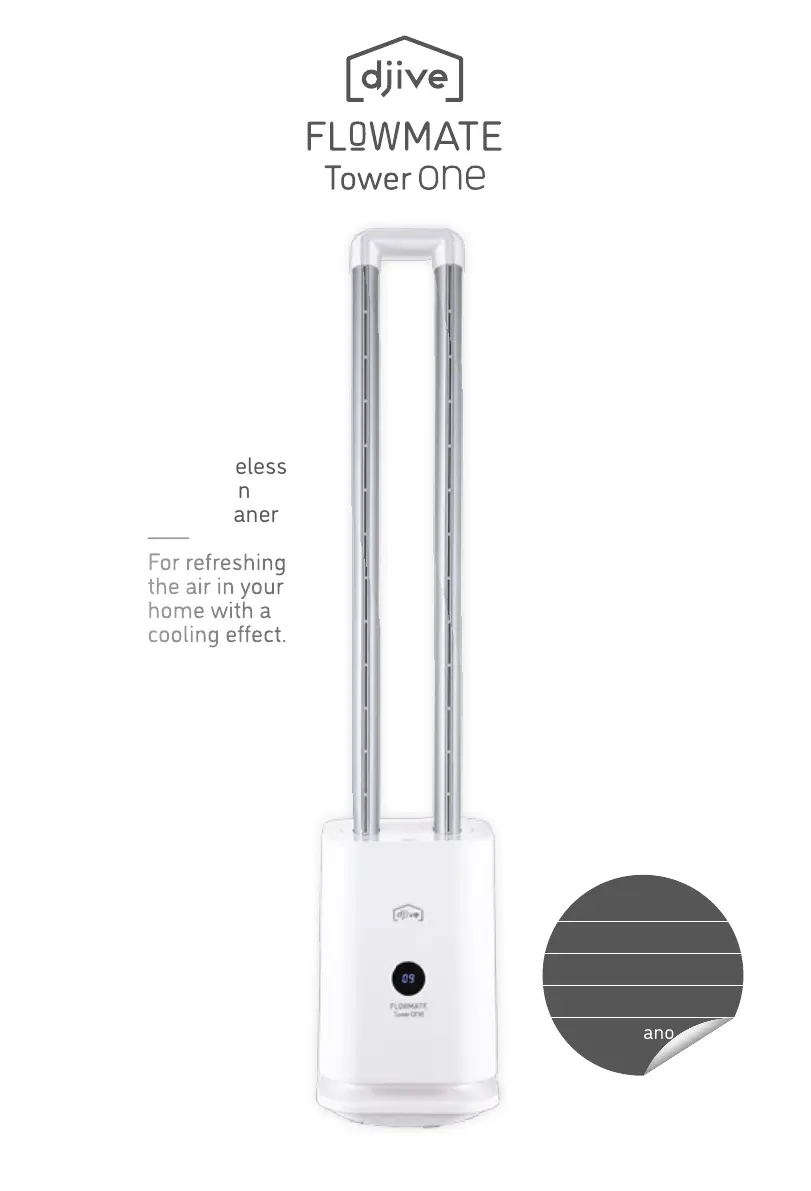
djive Flowmate Tower One
104 pages
Print Icon
To Next Page IconTo Next Page
Loading...
2in1 bladeless
Tower Fan
& Air Cleaner
For refreshing
the air in your
home with a
cooling effect.
English
Deutsch
Français
Español
Italiano

Questions and Answers

  • D
    davidwhiteAug 3, 2025
    Why is my djive Flowmate Tower One remote control not working?
    • D
      David DavisAug 3, 2025
      Your djive Air Cleaner remote control might not be working due to several reasons. It could be that the battery is empty, so try replacing it with a new one. Also, ensure that the battery is installed correctly, facing the right side. Finally, make sure that you are aiming the remote control directly at the LED display of the Air Cleaner.
  • S
    Sherri JonesAug 18, 2025
    What to do if my djive Flowmate Tower One Air Cleaner is plugged in but not turning on?
    • M
      Megan MaxwellAug 19, 2025
      If your djive Air Cleaner is plugged in but not functioning, verify that the power plug is properly connected and that the power indicator is on. If the indicator is off, check for a power outage in your area.

Summary

Safety Precautions

General Safety Guidelines

Essential safety guidelines for electrical safety, handling, and placement.

Operational and Environmental Safety

Precautions for fan placement, usage environment, and avoiding obstructions.

Specific Danger and Child Safety Warnings

Critical warnings regarding fire hazards and ensuring child safety around the appliance.

Product Overview

Product Components Identification

Visual identification of key parts of the fan, including air outlet and display.

Prior to First Use

Place of Operation Guidelines

Instructions for selecting a suitable and stable location for the fan.

Remote Control Battery Replacement

Step-by-step guide for replacing the battery in the remote control.

Operating Instructions

Remote Control Functions

Details on using the remote control for various fan functions like speed and timer.

On-Device Controls and Operations

Explanation of the fan's control panel buttons and core operating functions.

Care & Maintenance

Appliance Cleaning Procedures

Instructions on how to clean the fan's surface, air inlets, and outlets safely.

HEPA Filter Replacement and Storage

Guide for changing the HEPA filter and proper storage of the appliance.

Troubleshooting

Problem Resolution Guide

Guidance on resolving common issues with the fan and remote control.

Technical Specifications

App and Alexa Integration

Information on operating the device via smartphone app and Amazon Alexa.

Customer Support Information

Contact information and procedures for seeking customer support and service.

djive Flowmate Tower One Specifications

General IconGeneral
ModelFlowmate Tower One
CategoryAir Cleaner
ControlTouch panel, Remote control
Air Quality SensorYes
Auto ModeYes
Night ModeYes
Child LockYes
Filter Replacement IndicatorYes
Warranty2 years
Filter TypeHEPA, Activated Carbon
TimerYes

Related product manuals