19
Engli sh
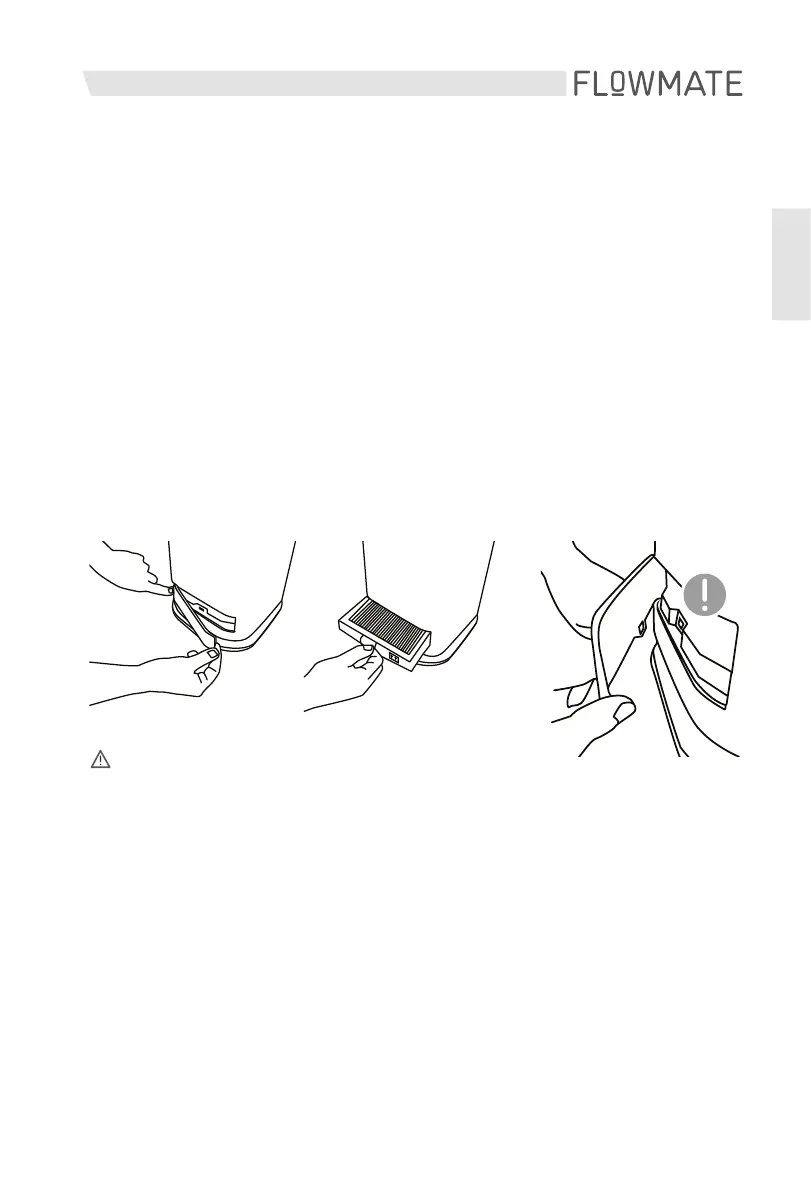
Changing the HEPA filter
1. Make sure your appliance is switched off unplugged.
2. Press gently on the far left side of the filter case cover to remove it.
3. Remove the old filter and replace it with a new one.
(Sold separately)
4. Put the cover back on the filter case. Please make sure that
the magnets on the cover and the case are aligned.
ATTENTION – Storage
1. Place the fan in a large plastic bag for dust protection after
care and maintenance.
2. Please avoid unstable places and electrical appliances with
refrigeration/heating functions.
3. Avoid placing it in direct sunlight, hot and wet places.
4. Please store the fan in the clean and dry place.
5. Please place it where children can’t touch it.
1. 2. 3.



 To Next Page