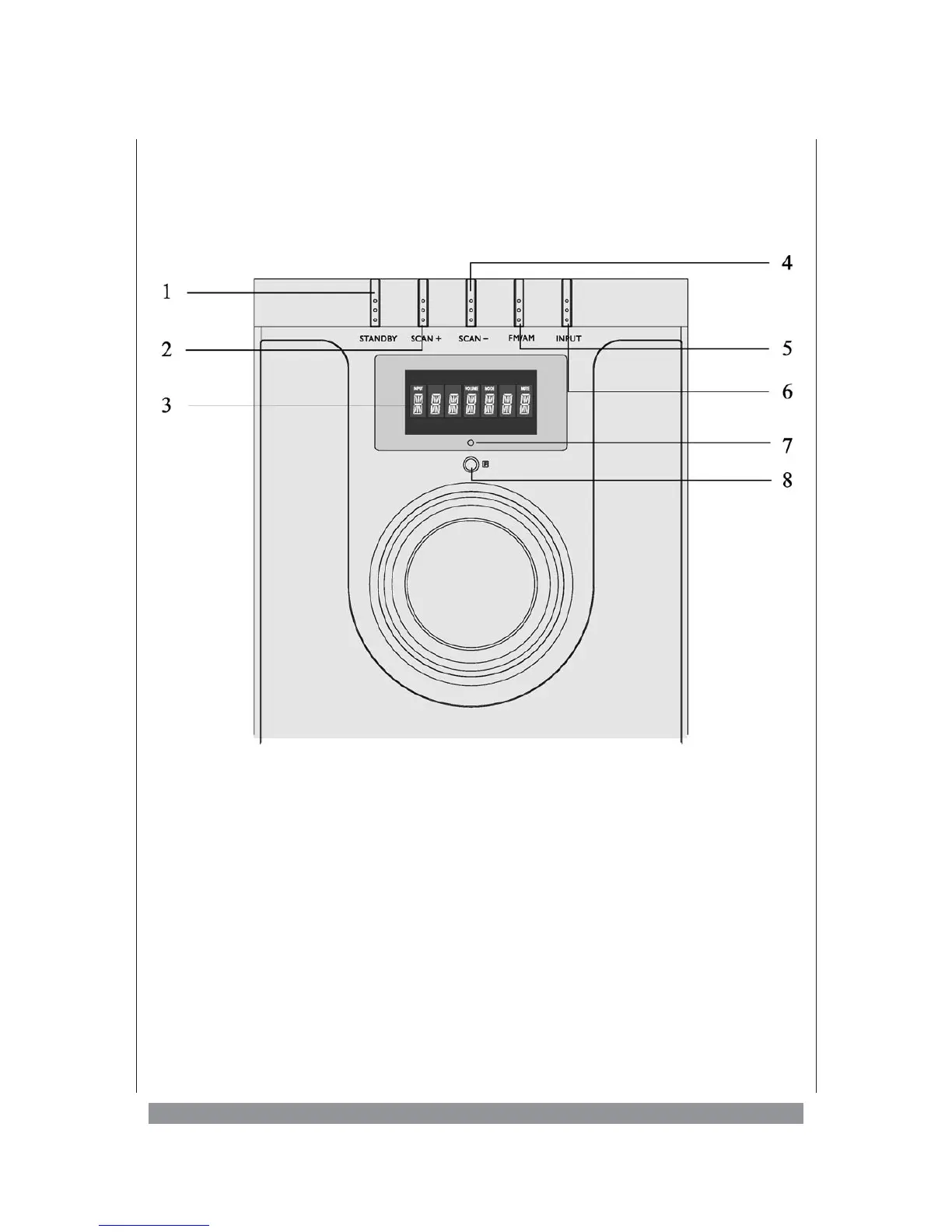
Operating elements on the subwoofer
on the front . . .
1. STANDBY - to switch the unit on and off
2. SCAN + - starts station scanning up
3. Display - here the unit shows operational information
4. SCAN — - starts station scanning down
5. FM/AM - toggles the radio band
6. INPUT - to select the active input
7. LED - standby indicator, lights up red in standby mode
8. IR - infrared sensor, receives the remote control signals
5


 To Next Page