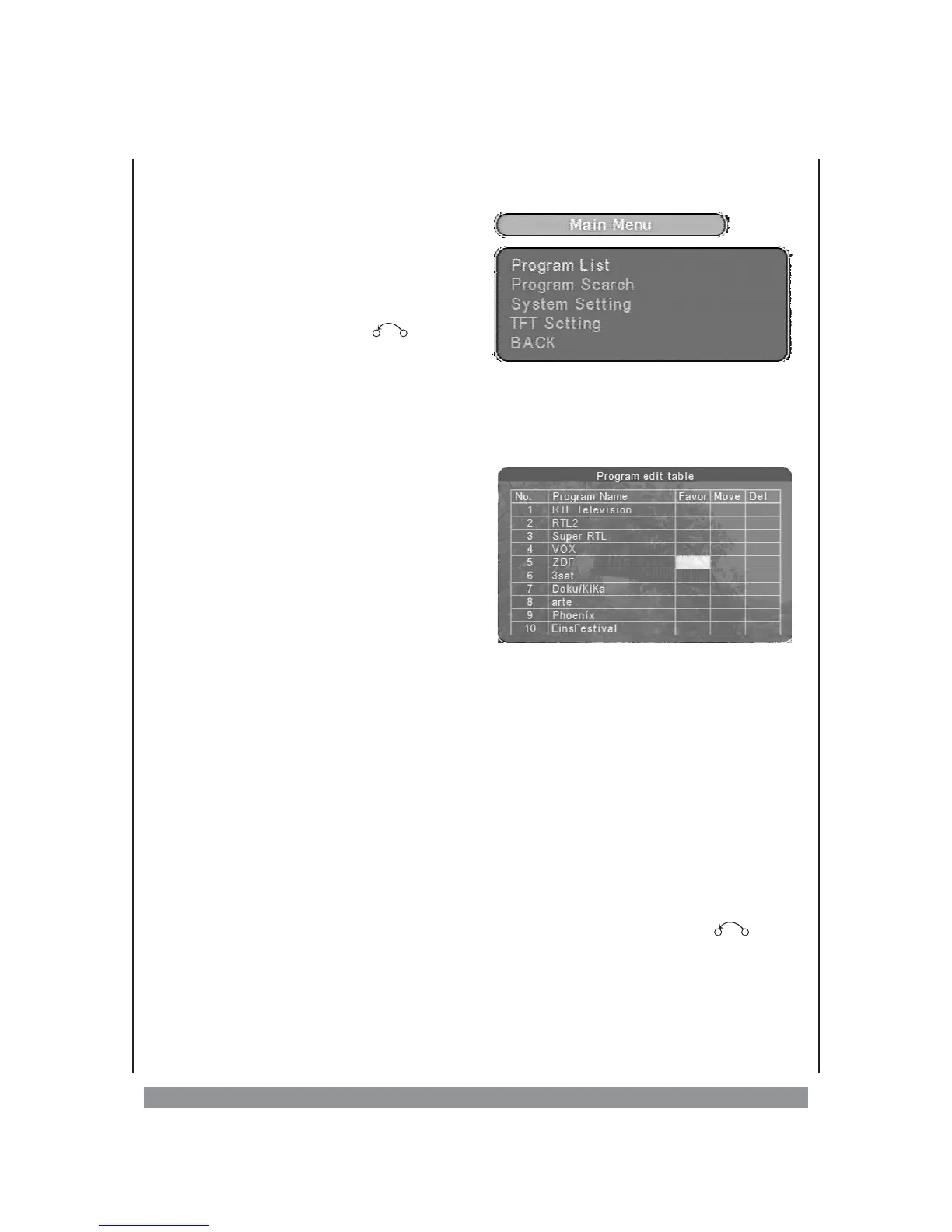
The DVB-T Screen Menu
Carry out all the settings in the DVB-T menu
screen for digital television. For this press
the MENU button of the remote control. The
main menu appears. You can move the
selection cursor using the 3456 buttons;
select the chosen menu entry with the
ENTER button and with the button or
BACK button, you can go back one level.
Menus are structured very clearly and are predominantly self-explanatory. Therefore
we do not go into naming and explaining every small menu item. However we consider
a brief description of the following menu functions appropriate:
Main menu > Program List > TV Program List
If you select this menu item, the
programme- editing table is displayed on
the screen. Scroll up and down with the 56
keys, in order to be able to view the entire
list of the detected channels. Now individual
programmes can be...
. . . added to favourites.
If you later switch-on the favourite-
function, only your favourite- channels are
displayed while you zap channels. Select the rows of the required channels for this
purpose and select the field „Favor” with the ENTER-key. Now, a heart symbol is
displayed in this field. Press the key once again if you wish to deselect this channel as a
favourite.
...moved.
When the position of two programmes in the list needs to be interchanged, select the
row of the first channel that needs to be moved and press the ENTER-key with the
selected field as “Move”. Now a double arrow is displayed in this field. Now interchange
the row of the channel, which needs to be interchanged with the selected row, and
press the ENTER-key. Now the channels’ positions in the list have been interchanged.
. . . deleted.
If you do not wish to view a channel at all in the future, then select the row of the
channel that needs to be deleted and press the ENTER-key on selection of the „Delete”
field. Now an X is displayed in this field. As soon as you exit the list with the -key,
the channel is deleted.
12



 To Next Page