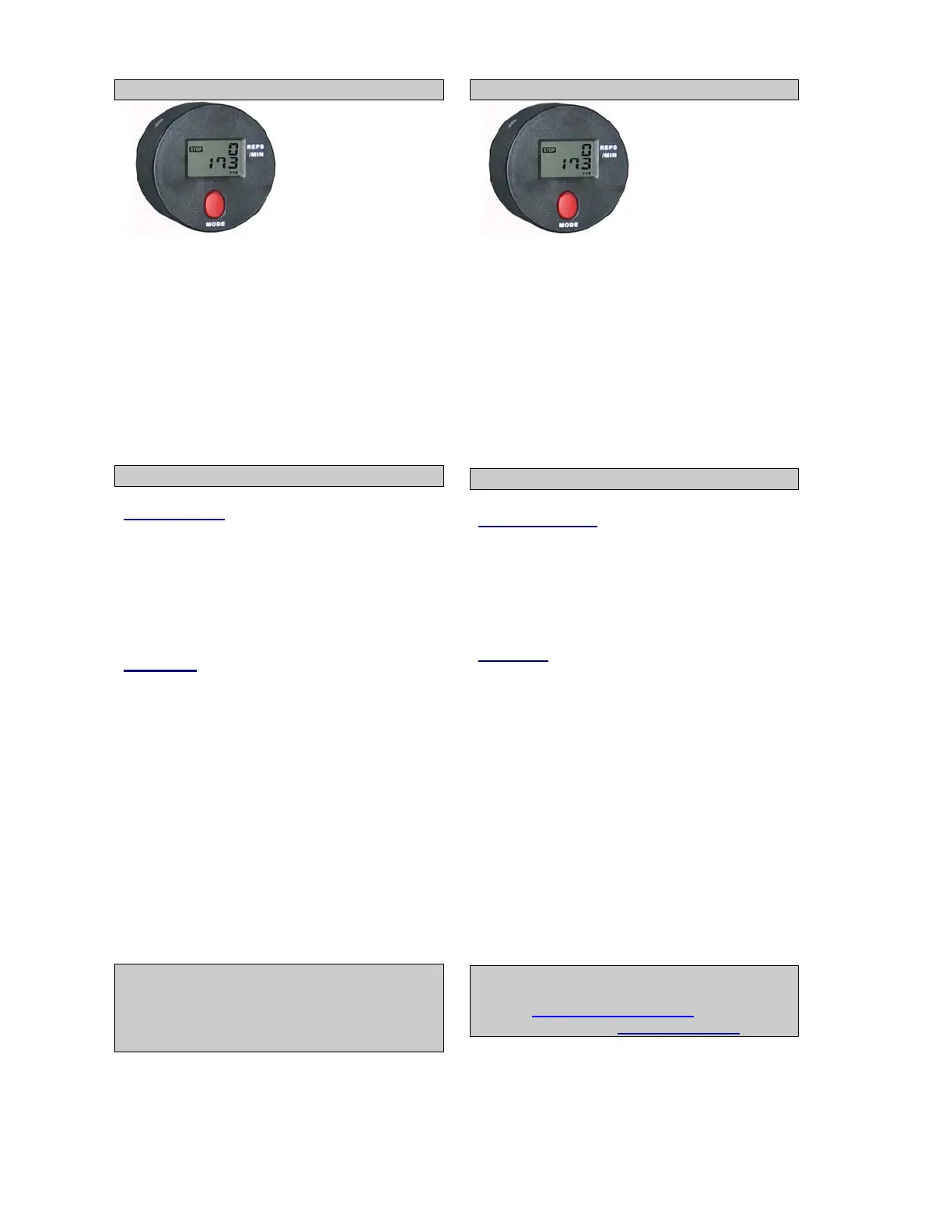
Instrucciones de operación Ordenador
Baterias
Ponga 2 baterias AA 1.5 V
Operacion
Despues de haber instalado las baterias y /o
despues de haber emujado en cualquier boton
la pantalla brillaran.
Cuando la pantalla no funciona, tiene que
instalar las baterias de nuevo.
Cuando la pantalla ya no funciona, tiene que
ponerse en contacto con vuestro distribuidor.
Empezar el entrenamiento
Foncion boton
MODE Con ese boton puede
seleccionar las funciones en
la pantalla. Apretando ese
boton, y teniendolo durante 4
segundos, todos los valores
se reduciran hasta cero.
Fonciones
TIME Indica el total del tiempo de
entrenamiento.
STRIDE/MIN Velocidad de entrenamiento.
CALORIES Consumo de calorias.
COUNT Suma los moviementos.
La pantalla cierra automaticamente
despues 4 minutos de non actividad.
Si tiene alguna duda póngase en
contacto con el distribuidor de DKN-
Technology
, o viste nuestro website
www.DKN-Technology.com, o pide mas
informacion: info@-design.be.
Operating Instructions Computer
Batteries
Insert 2 batteries AA 1.5 V (!Batteries are not
included)
Switch on
After inserting the battery and/ or after
pressing any button the display will light up.
If the display fails, replace the battery.
Please consult your retailer if this had already
been done.
Start Training
Function buttons
MODE Press to select any function to
be displayed on the main
screen.
Hold depressed for a few
seconds to have a total reset.
Functions
TIME Accumulates total working
time. Press ‘MODE’ to select
time (time blinks).
STRIDE/MIN Pace of the exercise
CALORIES Calory burn off. Press ‘MODE’
to select calory burn off
(distance blinks).
COUNT Accumulates total number of
movements.
The display will shut off automatically after
a period of non-activity for more than 4
minutes.
For any questions please do contact your
DKN-Technology dealer, or visit our
website www.DKN-Technology.com, or ask
for more information: info@ds-design.be


 To Next Page
 Loading...