DLI 8 Product Manual Rev. 1
Using the Programmable Keys
The DLI 8 has six integrated function keys. Each key is user configurable via the DLI Keymon
Utility. The keys can be assigned to perform executable applications or Data Ltd. predefined
functions.
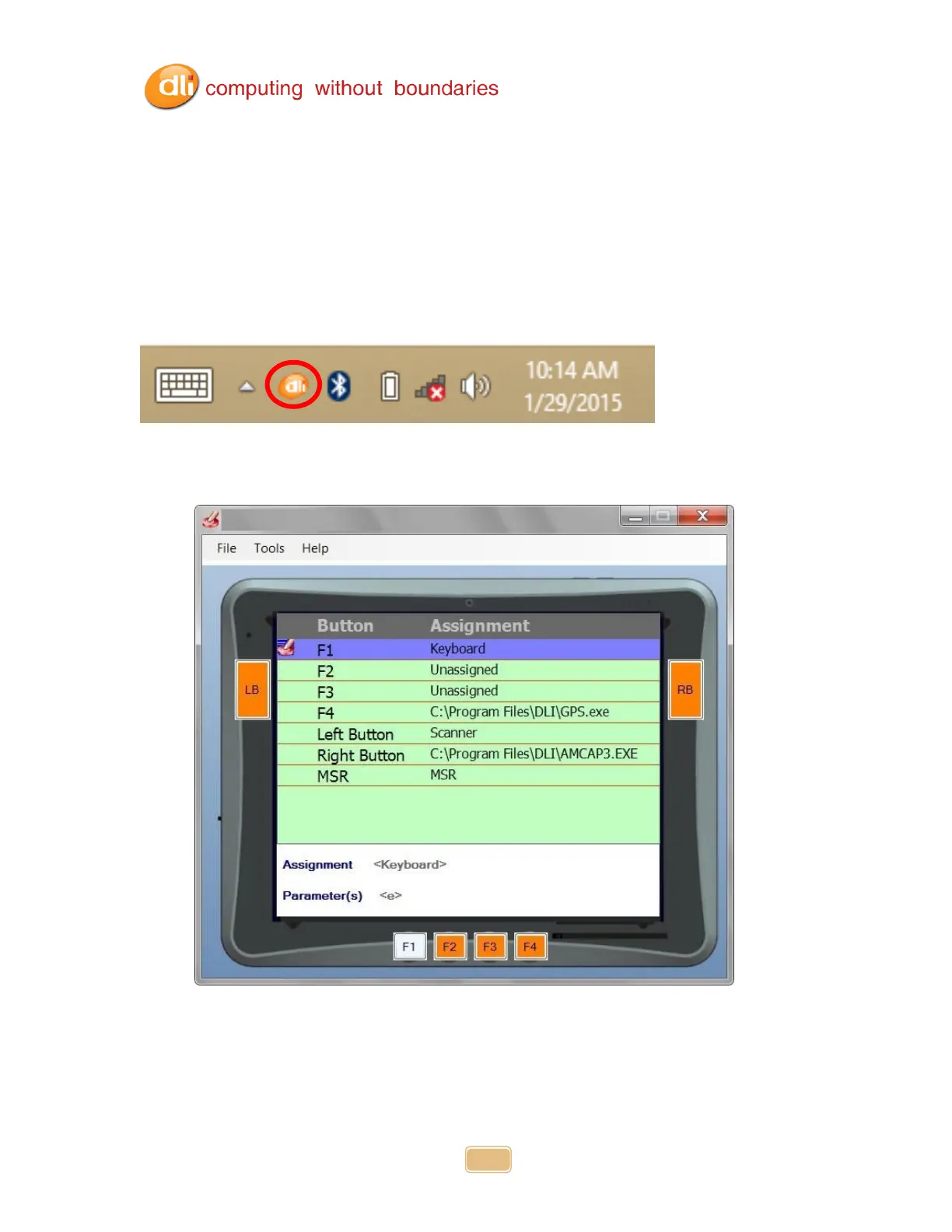
The DLI Keymon utility can be launched from the system tray or from the
Start>Programs>DLI>DLI Keymon. The procedure below will assist you in defining the keys.
1. Double tap on the DLI Keymon icon in the system tray
2. The DLI Keymon screen is presented. Choose a key that requires a definition by
tapping on the orange keys or by highlighting the key in the button assignment area
and then double tapping.
3. There are seven options for key assignment. Choose an assignment type that is
required for the key. Unassigned, Keyboard (OSK), Command, Scanner, External
Program, System, and Phone.



 To Next Page