32 33
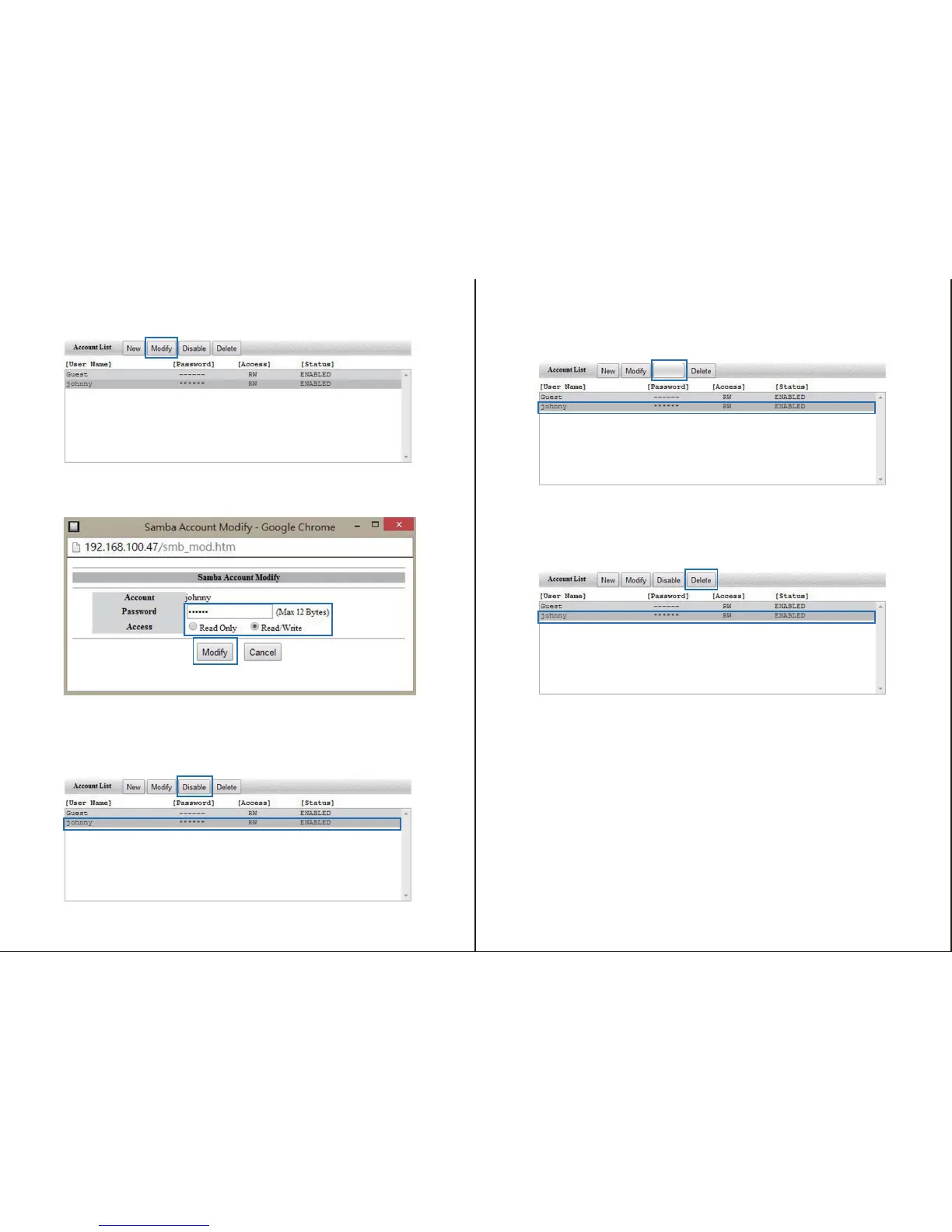
Note: Enable/Disable button is displayed based on account status.
To change the settings for any account, select the account from the account box, and
click the modify button.
From the modify window, change the password or the read/write access depending on
your preference, and click the Modify button.
The account changes have now been saved.
To disable an account, select the account from the account box, and click the Disable
button.
The account has now been disabled.
To enable an account, select the account from the account box, and click the Enable
button.
To delete an account, select the account from the account box, and click the Delete button.
You will receive a message alerting you that the account will be deleted; click OK if you
wish to continue.
The account has now been deleted.
You can specify which Accounts have access to each folder on your NAS enclosure using
the Folder and Share List boxes.
If you would like to grant Folder access to a specific account, select the account from the
account box.
Enable


 To Next Page