30 31
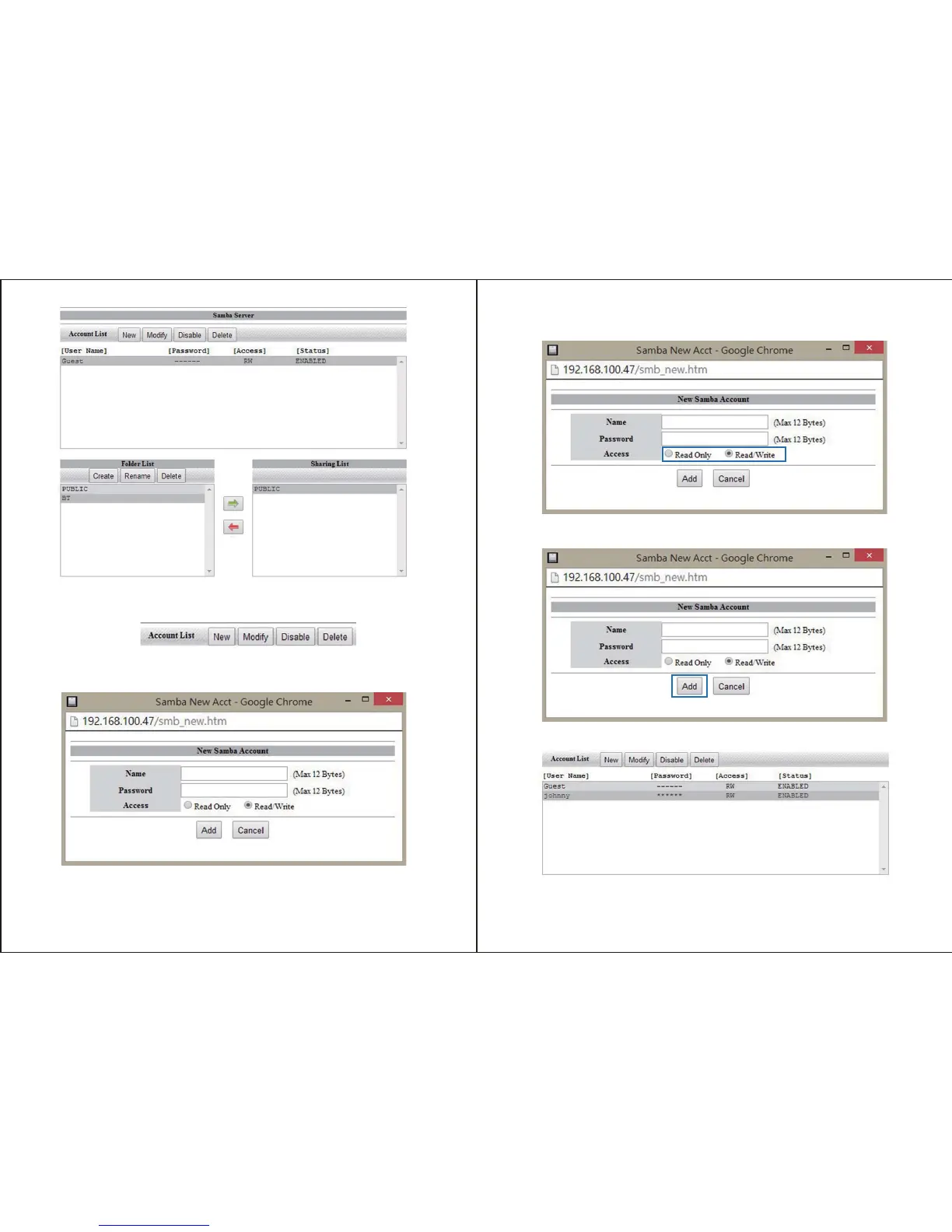
To create a new account, click the New button.
Enter your desired username and password in the specified fields.
Next specify whether you would like the account to be Read only (can only access files), or
Read/Write (Can access save and edit files) by placing a bullet in your preference.
Click the add button to complete account creation
The account has now been created is listed in the account List box below.
Note: A new folder for specific user content is also created with each account and listed
under folder list.


 To Next Page