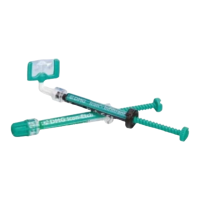
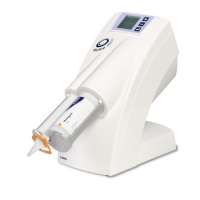
The DentaMile Desk MC-5 is a 3D printer designed for dental applications, offering precise and efficient production of dental models. It utilizes a UV light source to cure resin, creating detailed and accurate dental prosthetics and models. The device is compact and suitable for desktop use, making it an ideal solution for dental laboratories and clinics.
Function Description:
The DentaMile Desk MC-5 operates by curing liquid resin layer by layer using UV light, building up a 3D model from digital data. It is specifically designed for dental applications, ensuring high precision for various dental prosthetics and models. The printer features a user-friendly interface, typically a 5-inch touch panel, for easy operation and monitoring of the printing process. It supports network connectivity via Ethernet/USB, allowing for seamless integration into existing digital workflows. The device is capable of printing models with a build size of 130 x 73.1 x 90 mm, offering a good balance between size and functionality for dental practices.
Important Technical Specifications:
- Build Size: 130 x 73.1 x 90 mm
- XY Resolution: 68 µm
- Z-layer Resolution: 5 µm to 500 µm
- LED Wavelength: 385 nm
- I/O (Connection): Ethernet/USB
- User Interface: 5-inch Touch Panel
- Power Input: 100-240V AC, 50/60Hz
- Current: 19.5V DC/6.7A
- Wavelength: 385 nm
- Printer Dimensions (W x D x H): 40 x 30 x 47 cm
- Package Size and Weight: 62 x 62 x 75 cm / 22 kg (including pallet)
- Operating Temperature: 10° to 30°C
- Humidity (RH): 40-60%. The printer should be stored in dry conditions.
- Storage of Printing Material: Store materials at ambient temperature from 15° to 28°C and do not expose to direct sunlight. If not stored properly, the resin may solidify.
Usage Features:
The DentaMile Desk MC-5 is designed for straightforward operation. To start, the printer needs to be placed on a flat, stable surface with access to a power outlet. It is crucial to avoid direct sunlight exposure as this can degrade the resin material. The printer connects to a computer via Ethernet or USB for data transfer. The user interface allows for easy navigation through menus, starting print jobs, and monitoring progress. The device includes a resin tank that needs to be filled with appropriate resin material before printing. The build plate, or "picker," is where the 3D model is formed. After a print job is complete, the printed model needs to be carefully removed from the picker. The device also features a power button with LED indicators (blue for standby/printing, red for error) to show its operational status. An emergency shutdown function is available by pressing and holding the power button for 3 seconds.
Maintenance Features:
Regular maintenance is essential to ensure the longevity and optimal performance of the DentaMile Desk MC-5.
- Resin Tank Cleaning: After each print, excess resin should be poured back into its container, and the tank should be cleaned with ethanol. It's important to use soft paper towels or lens wipes to gently clean the bottom of the tank, avoiding sharp tools that could damage the UV glass or the tank itself. The printer may also have a built-in cleaning function for the tank.
- Picker Cleaning: The picker, or build plate, should be cleaned after each print to remove any residual resin or printed material. An air gun and ethanol can be used for this purpose. For stubborn residues, a soft spatula can be used, but care must be taken not to scratch the surface.
- Model Removal: After printing, models need to be carefully detached from the picker. An air gun and ethanol can be used to clean the printed model, followed by post-curing in a separate unit. A spatula can assist in separating the model from the picker.
- Firmware Updates: Regularly updating the firmware is recommended to ensure the best user experience and access to new features or improvements. Interrupting a firmware update can lead to printer malfunction.
- Resin Tank Inspection: The resin tank should be regularly inspected for cleanliness and the tension of the Teflon film. If the film loosens or shows signs of wear, the tank should be replaced to maintain print quality.
- Environmental Control: The printer should be operated in a dust-free environment to prevent contamination of the resin and printed models. Maintaining the recommended operating temperature (10° to 30°C) and humidity (40-60%) is also crucial for optimal performance and resin stability.
- Safety Precautions: Always wear protective gloves and safety glasses when handling resin. Avoid direct skin contact with resin and ensure proper ventilation in the work area. The resin tank should not be exposed to direct UV light when not in use to prevent premature solidification of the resin.

 Need help?
 General

 To Next Page