17
Alarm Parameters:
z On time – Hours and minutes
z Duration – 15 | 30 | 45 | 60 | 90 minutes, If the alarm is not cancelled
the radio returns to standby after this time period.
z Source – DAB | FM | BEEP Tone 1 |BEEP Tone 2, If DAB or FM is
chosen as the audio source you will also be prompted to select the
last played station or one of the preset stations (if set).
z Once| Daily | Weekends | Weekdays, choose the days on which
the alarm is active.
z Alarm – Off | On
After Alarm on is selected, the alarm1
will be armed automatically, the alarm1
alert icon stops flashing.
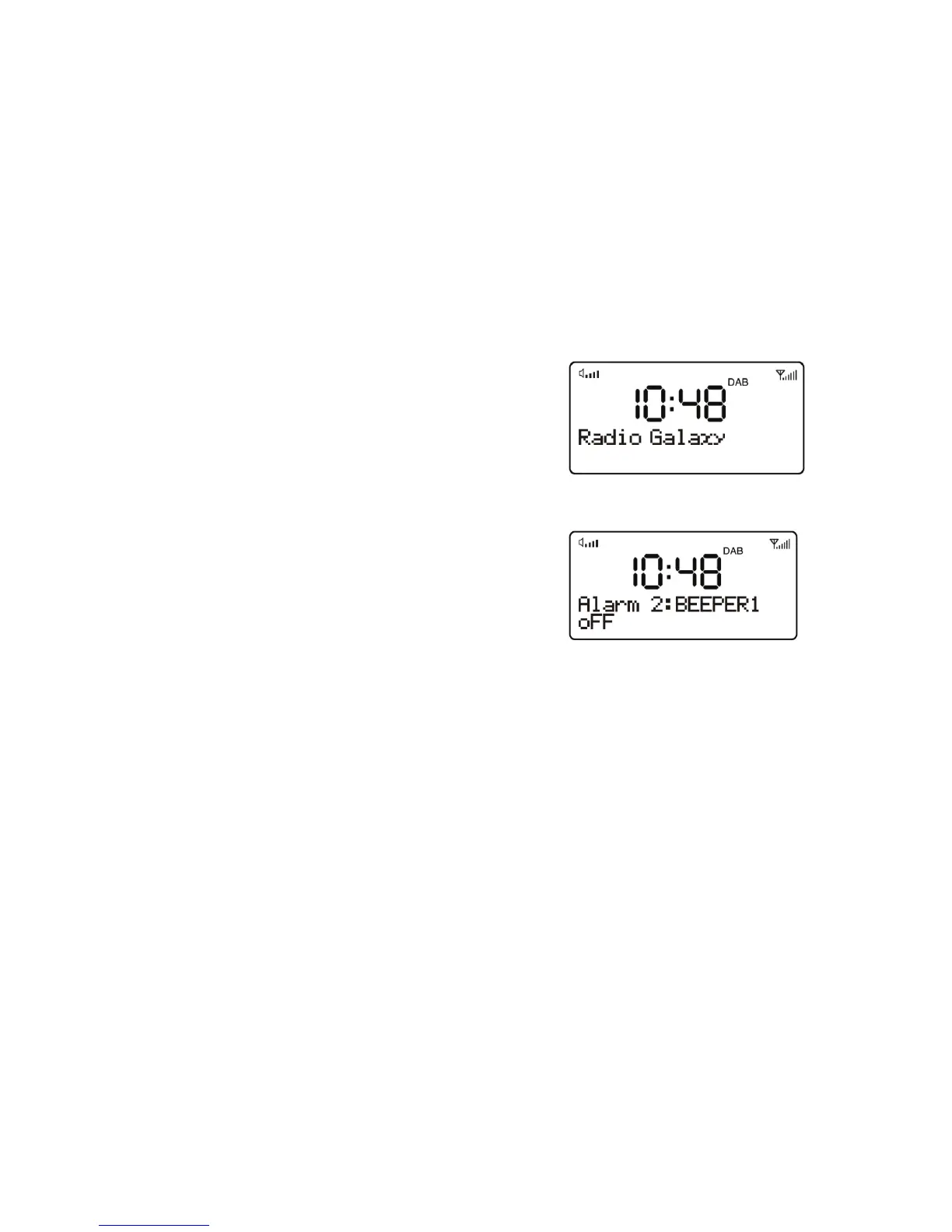
Set the Alarm 2
1. During operating mode, press & hold
the ALARM/SNOOZE button twice until
the Alarm 2 menu is shown, press the
UP or DOWN button select OFF/YES,
press ENTER button if you select YES, the alarm 1 alert icon flashes
on the display and can set a time.
2. The other setting of Alarm2 refers to Alarm1 setting described
above.
z At the set time, the alarm will sound, quietly at first, then gradually
building up to the set volume. When an alarm sounds, the bell icon in
the display flashes.
z To cancel the Alarm when it is activated, press the
ALARM/SNOOZE button or FUNCTION button, the unit goes to
standby.
Snooze
z When the alarm is activated (waking you), short press the
ALARM/SNOOZE button will stop the alarm one time. The Alarm
icon “SNOOZE” will show on the display & the alert icon flashes
simultaneously to show it is on Snooze status.


 To Next Page