4
2 Monitor DNAKE Door Station on Tiandy NVR(TC-R3110)
2.1 Settings on Tiandy NVR
1. Connect the Ethernet cable to both IP Camera and Indoor Monitor. Please keep them under
the same LAN.
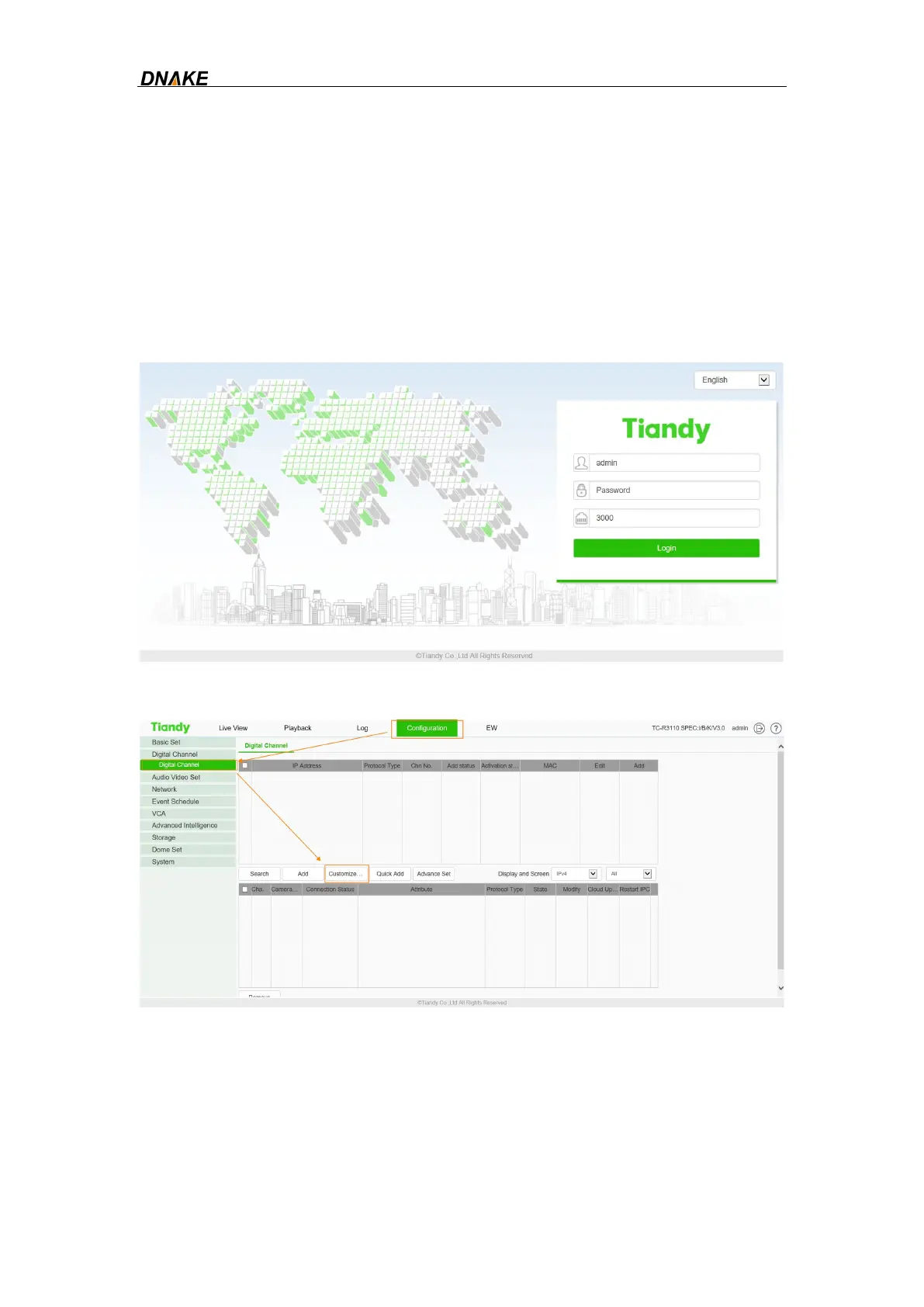
2. Add Door Station to NVR on the website:
Step 1: Sign in Tiandy NVR by its IP address with default account and password.
Step 2: Click Configuration and then go to Digital Channel.You can add Door Station by
clicking Customized adding.
Step 3: Fill in the informations of Door Station. Select RTSP in the blank of Device
Type. Fill in the blanks of User Name and Password with default account(admin) and
password (123456) of Door Station. The Main Stream URL and Sub Stream URL are
URL of Door Station. The format of Door Station URL is:
rtsp://
<Account>:<Password>@<IP address>:8554/ch01



 To Next Page