7
IDW520 Photo ID System
Setting up the Processor Console
• Unpack the console from the shipping box. Remove any protective
plastic sheeting, packaging materials, or foam from the processor
console.
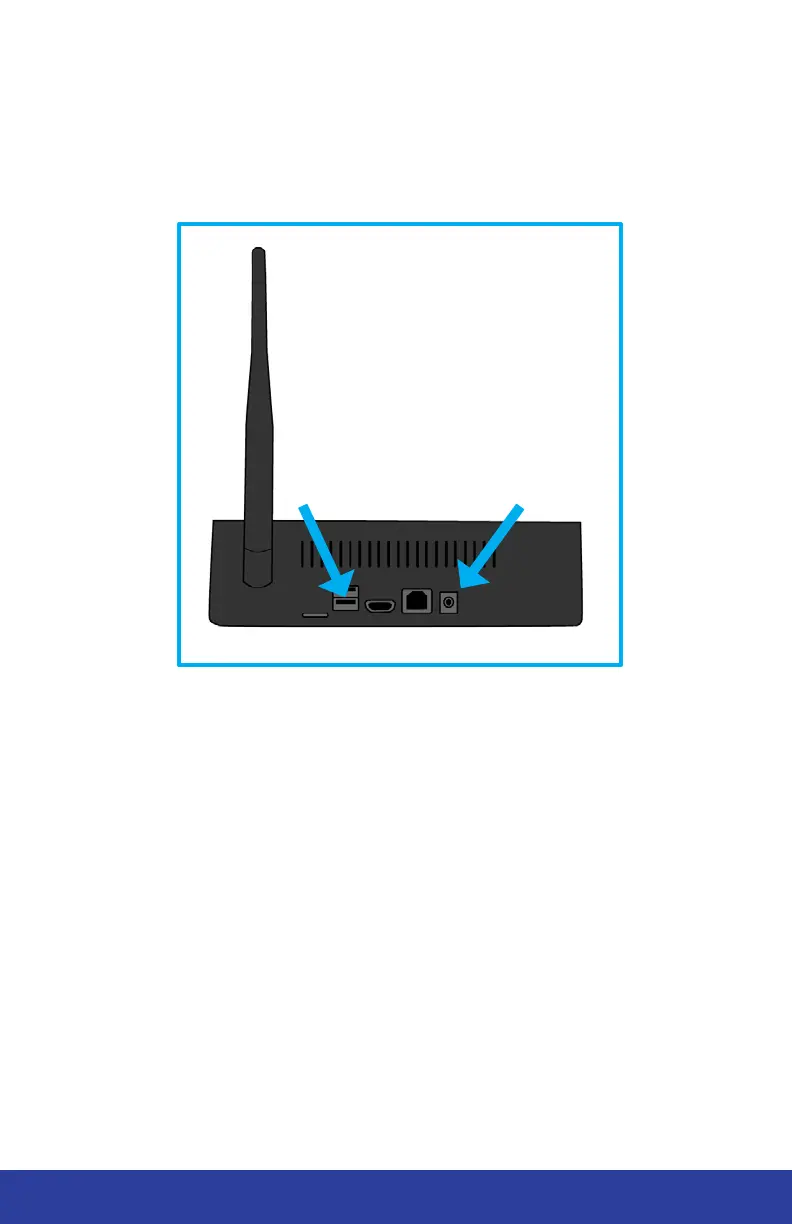
• Plug the printer USB cable into the bottom port on the back of the
console.
• Plug the power cord into the console power port and into a wall outlet.
Do not power on the processor console at this time.
BOTTOM USB
PORT
POWER PORT


 To Next Page