- 21 -
Description & Functions
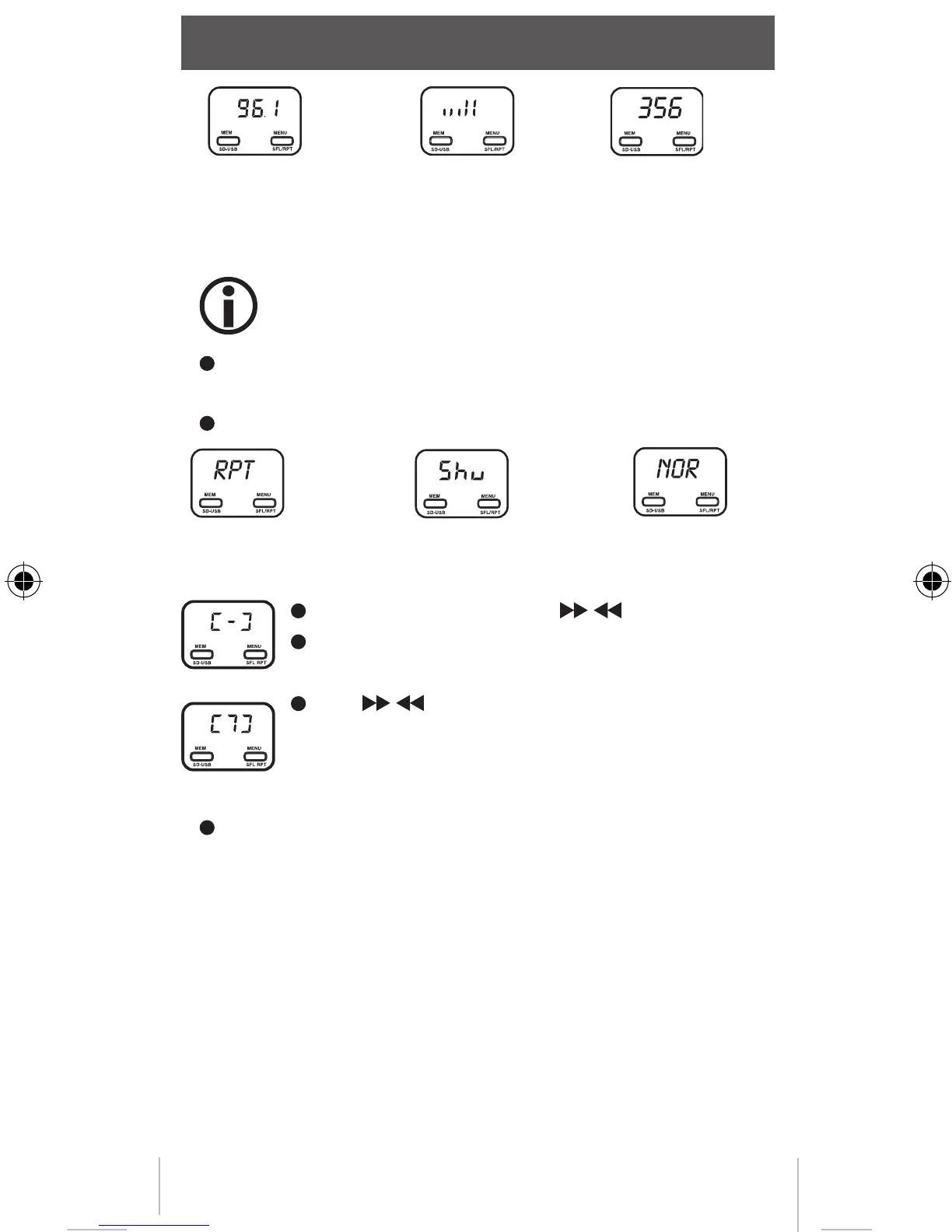
Frequency Audio level remaining
playback time
Repeat feature
This function is available only, if a memory device
is connected to the USB port.
Press and hold MENU button for 2 seconds when the music
is playing. The repeat feature is then activated.
The display is changed in the following order:
repeat shuffle normal
Storing frequencies
Select the frequency with / buttons
Press MEM SD-USB button until the display
shows [-].
Use / buttons to select the number of the
memory and press MEM SD-USB button again.
Select stored frequencies
Press MEM SD-USB button repeatly until the desired fre-
quency is selected.
Input level (audio input)
This will transfer the music with the best signal quality for the
radio, the volume must be set correctly. To do so:
Start playback on the audio device. Adjust the volume to a
low value. Now increase the volume until the noise disappears.
Remember this value. Increase the volumn until the radio has
disstortion.Also remember that value. Now set the volume in
the middle of the so-determined values.
MFlysdDEFN-new.indd 21 12.11.2010 11:43:16



 To Next Page