M4000 Insulation Analyzer User Guide
72A-1230 Rev. F 4-91
July 22, 2005
Replacing the HV Pothead
Note the location of the HV Pothead in Figure 4.30 on page 4-60. Take the
following steps to replace it:
1. If it has not already been done, remove the Front Panel Assembly. See
Steps 1-8, ”Removing and Replacing the Front Panel Assembly”
on page 4-58. Place the Front Panel Assembly face down on the bench.
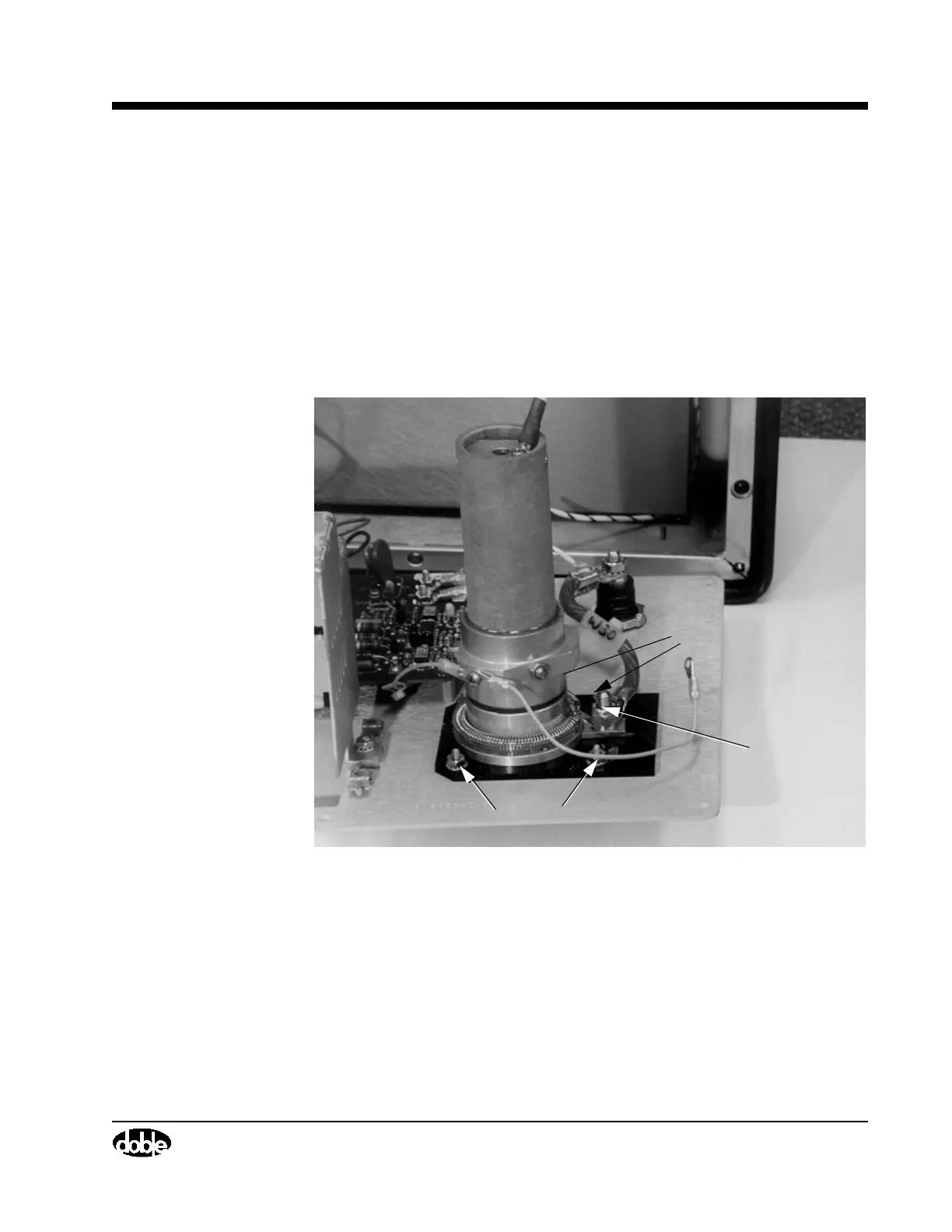
2. Remove one 1/4” elastic nut (Figure 4.51), on the back of the Front Panel
Assembly to release the W30 cable, using a socket wrench.
.
Figure 4.51 HV Pothead, W30 Screw and Nut Locations
3. Remove four #632 nuts with flat washers (Figure 4.51), found in the
corners of the black plate beneath the HV Pothead, using an 11/32” socket
wrench.
W30 Nut
#8 Nuts
#8 Nuts



 To Next Page