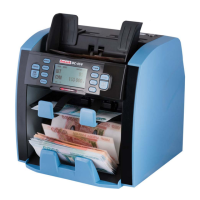
7. Operation mode
CNT mode
Pressing button MODE to select CNT mode. In this mode, you can
switch on ADD or BATCH or ADD + BATCH.
SDC mode
Pressing button MODE to select SDC mode. This mode is to count a
single denomination bill. The system will take the first note as the
benchmark, an will stop counting when meeting a different
denomination.
MDC mode
Pressing button MODE to select MDC mode. This mode is a value
counting mode for mixed denominations, and press REPORT button
to check the counting details.
8. Setting mode
Pressing Menu button for 3 seconds, you will see setting menu with
the following main interface.
Use the cursor to select with sub-menu you want to enter, and press
MENU button to confirm, and press ESC button to quit.
DoCash 3200 HD 8 www.docash.de


 To Next Page