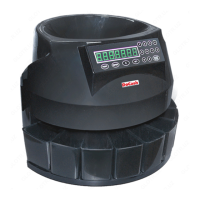
When counting is completed, press the key START/STOP to stop
the machine or wait 20 seconds for automatic shut-down.
If you want to view the results of counting and sorting of different
denominations, press Report, after which the machine will display
the separate results of counting and sorting of coins of various
denominations. Press the key C to display the total counting result
of all coins.
ATTENTION
The amount of coins recommended for processing per a shift is not
more than 10, 000 pieces.
After 30 minutes of continuous operation of the machine, it is
necessary to take a break for 5-10 minutes.
4. Troubleshooting
If the machine is not in a horizontal position or vibrates too much
during operation, this may be caused by the large coin which has
appeared in the small coin channel by mistake, which may cause a
jam in the device.
To solve this problem, push the coin out of the coin channel with
your finger so that it falls into the gap between the two coin
channels.
ATTENTION
If during the counting the coins are not able to get into the desired
compartment of the machine, use a wand or other thing to fix the
problem.
During counting, the machine locks all keys on the operation panel
except START/STOP.
DoCash 913
11
www.docash.de


 To Next Page