Key Report
Display of counting results on the display. Pressing this key
together with the key from 1 to 8 allows to display the result of
counting and sorting for the selected coin box separately.
Key Start & Stop
Start and stop the count process.
Key Print
Print a report with the results of counting and sorting for loaded
coins of various denominations.
Functions and additional device interfaces:
SET Function
Function for setting the batch value of the number of coins for
different denominations.
REPORT Function
Displays the counting and sorting report of coins for various
denominations.
3. Operation
Set the machine horizontally and turn on the power with the
power switch.
Choose the counting mode
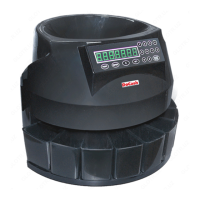
This coin sorter is able to count coins in two modes: free count and
batch mode. The counting mode can be selected with predefined
batch values.
DoCash 913
9
www.docash.de


 To Next Page