EN
EN
12 13
CHECKING THE PACKAGE CONTENTS
Make sure that the package contents are complete and that all
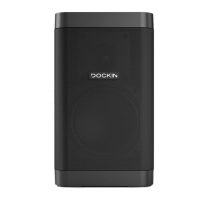
parts are undamaged before you commission the DFINE+ 2.
1. Take the DFINE+ 2 and all accessories out of the packaging.
2. Use the following list to check whether the package contents
are complete.
The package contents contain the following individual parts:
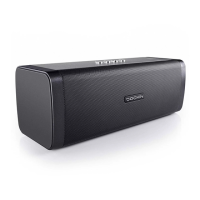
• DFINE+ 2 speaker
• Power cable with wall adapter
• AUX cable (3.5mm plug cable)
• Carry strap
• User manual
3. Check whether the DFINE+ 2 or the accessories are damaged.
If this is the case, do not use the DFINE+ 2. Instead, contact the
manufacturer at the service address.
TURNING THE DFINE+ 2 ON
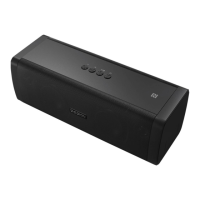
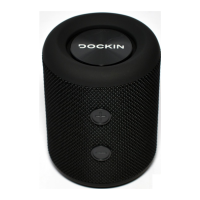
• Hold the button on the top of your DFINE+ 2 down for 3
seconds to switch the DFINE+ 2 on.
The D FINE+ 2 automatically connects with the last Bluetooth®
source (blue LED illuminates continuously) or switches to pairing
mode if the last source is not available (blue LED blinks quickly).
A short press of the
button will show the current charging sta-
tus via the battery LED for 15 seconds without turning the unit on.
PAIRING
Connecting via Bluetooth® function:
1. Activate Bluetooth® on the source device (Bluetooth® settings).
2. Go to the Bluetooth® settings and scan for discoverable devices.
3. Select “DOCKIN DFINE+ 2” from the Bluetooth® device list.
After successful pairing, the blue LED on your DFINE+ 2 stays lit and
you will hear a conrmation sound.
Connecting via NFC function:
This function is only available if your device supports NFC (
Near Field
Communication
).
1. Activate Bluetooth® on the source device (Bluetooth® settings).
2. Activate NFC on the source device.
3. Hold your source device close to the NFC logo on top of the
DFINE+ 2. First time connection via NFC needs to be conrmed
on your source device.
After successful NFC pairing, the blue LED on the DFINE+ 2 stays lit
and you will hear a conrmation sound.


 To Next Page