Introduction.........................................................................................................2
About the Pictorial Guide Indicators................................................................2
Warranty.........................................................................................................2
SECTION 1 - GETTING STARTED..........................................................................4
Supplying Power..................................................................................................4
Front Panel Controls............................................................................................5
PROGRAM AND BANK SELECTOR FOOTSWITCHES ........................................5
EFFECT SELECTOR BUTTONS (DIGITAL FX).....................................................5
TUNER .........................................................................................................5
EFFECT GROUPS.............................................................................................5
EFFECT SELECTOR BUTTONS (PREAMP)..........................................................5
STORE BUTTON..............................................................................................6
DISPLAY .........................................................................................................6
DATA WHEEL...................................................................................................6
CLIP LED.........................................................................................................6
INPUT KNOB ..................................................................................................6
OUTPUT KNOB...............................................................................................6
Rear Panel Connections.......................................................................................6
INSTRUMENT INPUT ......................................................................................6
NOTCH FILTER................................................................................................6
JAM-A-LONG™ INPUT....................................................................................6
HEADPHONE OUTPUT....................................................................................6
LEFT / MONO OUT.........................................................................................6
RIGHT OUT.....................................................................................................6
VOLUME CONTROLLER INPUT .......................................................................7
AC POWER INPUT...........................................................................................7
POWER CORD STRAIN RELIEF .........................................................................7
Hooking Up .........................................................................................................7
SECTION 2 - PROGRAMMING THE ACOUSTIC ONE...........................................8
Navigating The Acoustic One..............................................................................8
Using The Footswitches.......................................................................................8
Editing Programs .................................................................................................9
Storing Programs.................................................................................................10
Bypassing/Tuner Mode........................................................................................11
A Word About Mono Operation..........................................................................11
Using A Controller With The Acoustic One.........................................................11
About the Acoustic One's Effects.........................................................................12
EQUALIZERS....................................................................................................12
CHORUSES .....................................................................................................12
FLANGERS.......................................................................................................12
PHASERS.........................................................................................................12
TREMOLOS.....................................................................................................12
MONO DELAYS...............................................................................................13
PONG DELAYS................................................................................................13
TAP DELAYS ....................................................................................................13
Factory Program List............................................................................................14
Specifications .......................................................................................................14
Acoustic One Block Diagram ...............................................................................15
1
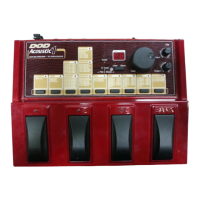
Acoustic One owner's manual


 To Next Page