SECTION ONE - Overview
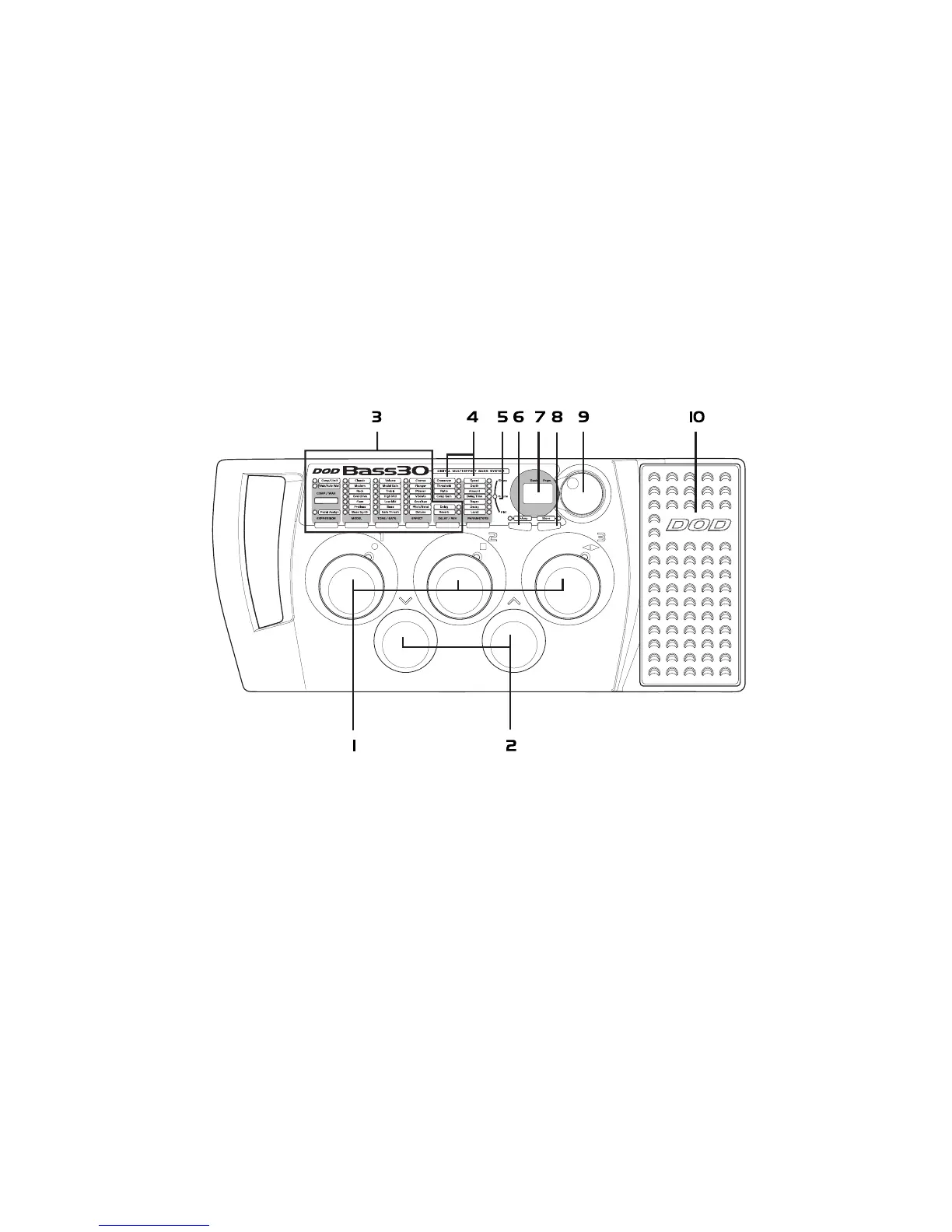
A Guided Tour of the Bass30
Front Panel
1. Preset Footswitches - These switches provide access to the Bass30 user presets. They are also used
to bypass the Bass30, access the Tuner, and perform various functions for the
Phrase Sampler.
2. Bank Footswitches - These two switches are used to advance or reverse the currently selected Bank.
Either switch can also be used to exit the Phrase Sampler.
2


 To Next Page