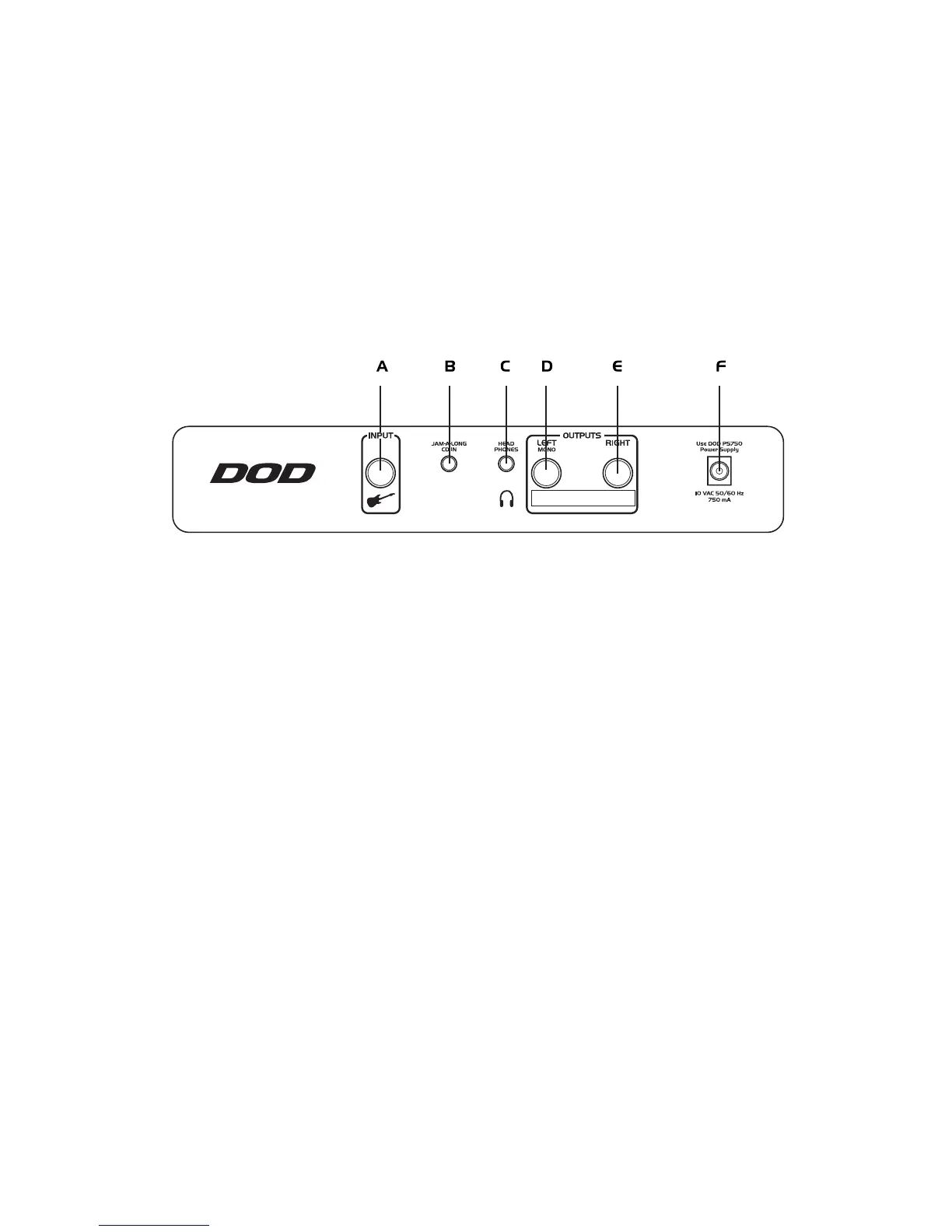
Rear Panel
A. Input Jack - Connect your instrument to this jack.
B. Jam-A-longª - This is used for playing along with your tapes and CD’s. Use a stereo cable with 1/8''
stereo plugs to connect the headphone output of your tape or CD player to this jack.
C. Headphone - This jack is used for connecting a pair of stereo headphones to the Bass30.
D. Left Output - Connect from this jack to the input of your amplifier for mono applications, or to the left
channel of a stereo power amp for stereo applications, or to the power amp driving the
low frequency speakers for bi-amp applications.
E. Right Output - Connect from this jack to a second amplifier, the right channel of a stereo power amp for
stereo applications, or the power amp driving the high frequency speakers for bi-amp
applications.
F. Power Jack - Connect only the PS750 power supply to this jack.


 To Next Page