Uconnect® 8.4AN
AT A GLANCE
Displaying The Time
• If the time is not currently displayed on the radio or player main page, press the
“Settings” button on the touchscreen (if equipped), or the “Apps” or “Controls” button
on the touchscreen and then the “Settings” button on the touchscreen. In the Settings
list, press the “Clock” button on the touchscreen then press the check box next to
“Show Time” in Status Bar.
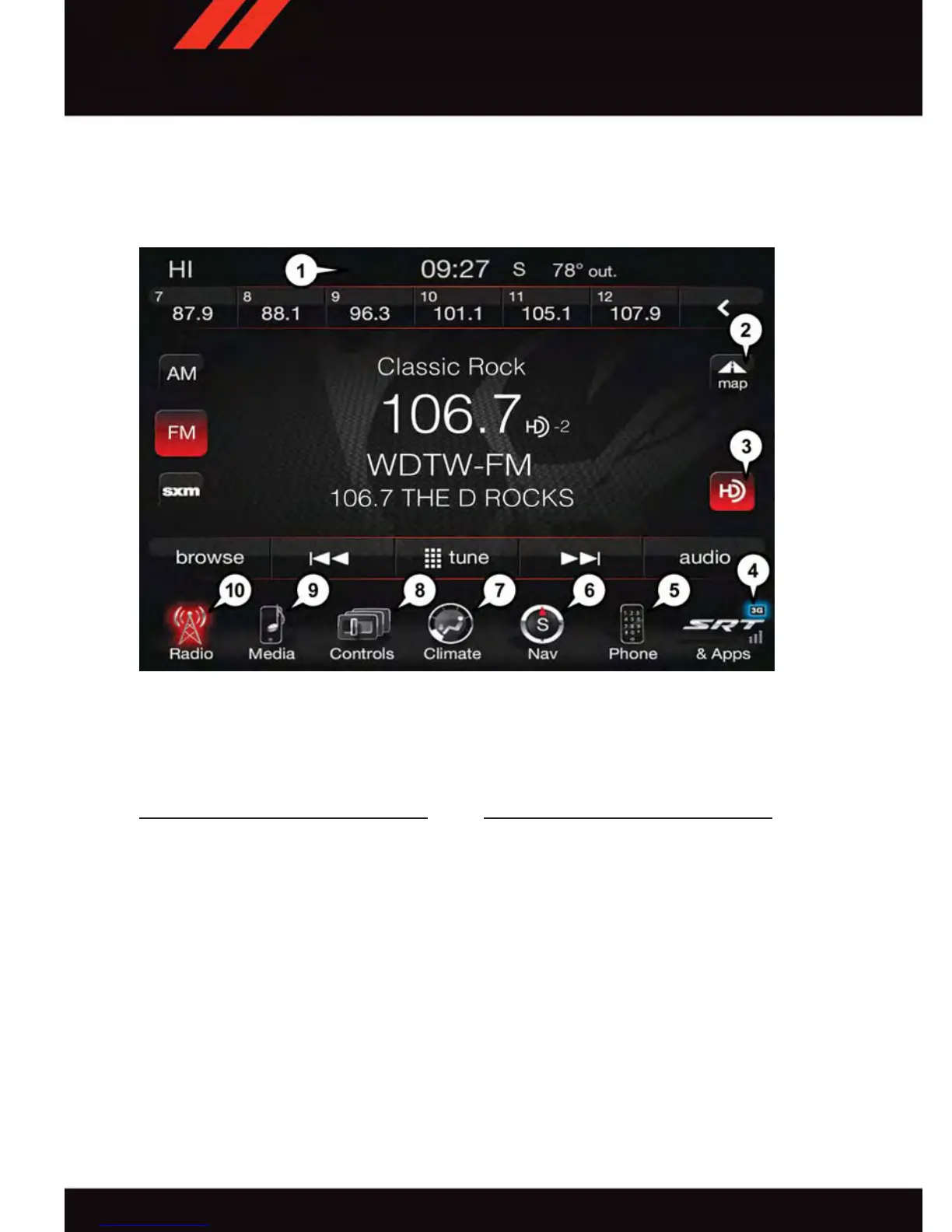
Uconnect® 8.4AN
1 — Status Bar
2 — View Small Navigation Map
3 — HD Radio Available
4 — Uconnect
®
Apps Button
5 — Uconnect
®
Phone Button
6 — Uconnect
®
Navigation Button
7 — Climate Button
8 — Controls Button
9 — Media Button
10 — Radio Button
ELECTRONICS
54










 To Next Page