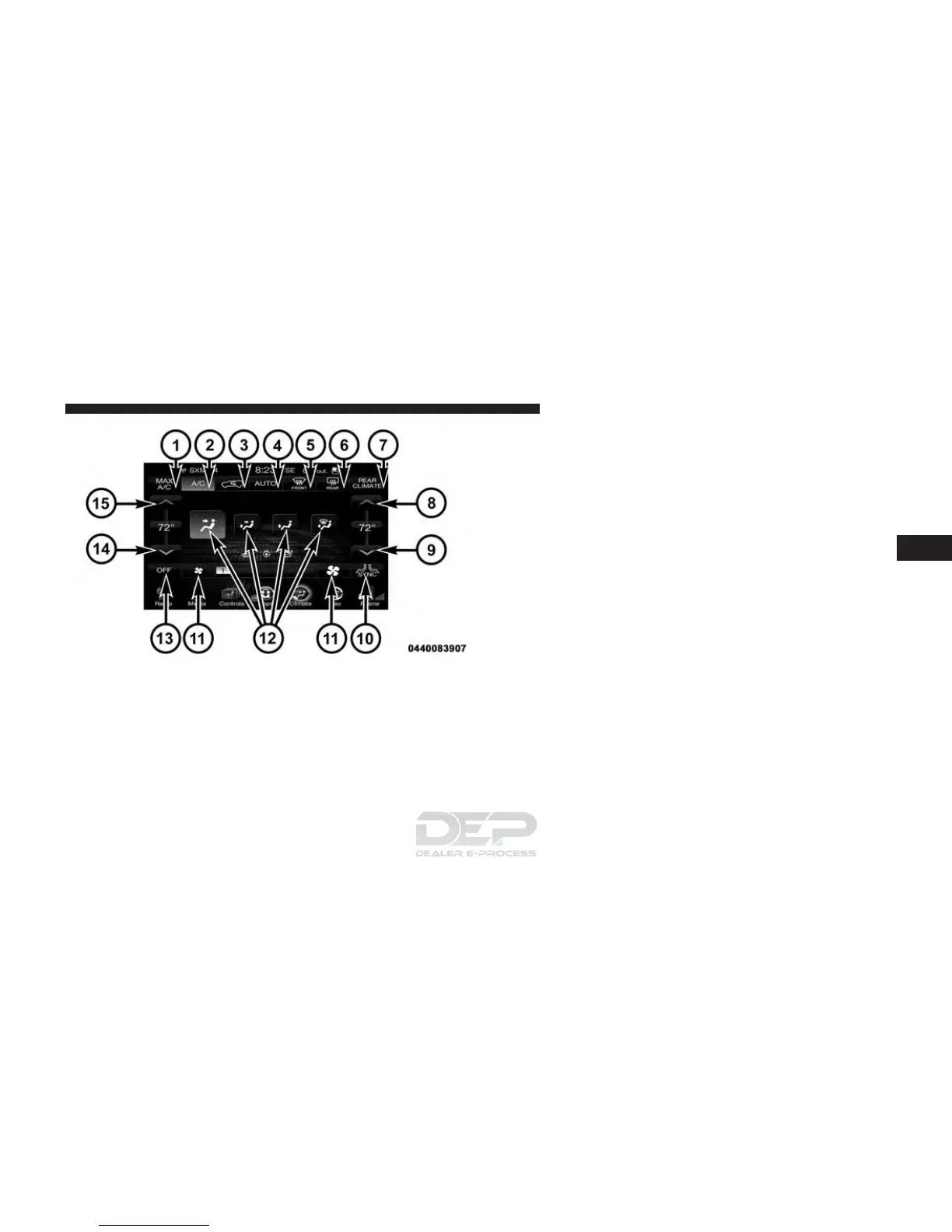
Button Descriptions (Applies To Both The Buttons On
The Faceplate And The Buttons On The Touchscreen)
1. MAX A/C Button
Press and release to change the current setting, the
indicator illuminates when MAX A/C is ON. Performing
this function again will cause the MAX A/C operation to
switch into manual mode and the MAX A/C indicator
will turn off.
2. A/C Button
Press and release to change the current setting, the
indicator illuminates when A/C is ON. Performing this
function again will cause the A/C operation to switch
into manual mode and the A/C indicator will turn off.
3. Recirculation Button
Press and release to change the current setting, the
indicator illuminates when ON.
Uconnect 8.4 Automatic Temperature Controls — Buttons
On The Touchscreen
4
UNDERSTANDING YOUR INSTRUMENT PANEL 409















 To Next Page