Forward/Reverse Folder
• Press the button memory 1 to advance to the first track of the next folder that
contains audio files. Press the button memory 2 to go back to the first track in the
previous folder that contains audio files. When this operation is performed, the
display shows the name of the selected folder.
Song Shuffle
• Press the RND to "shuffle songs". When enabled, "RND ON" is on the displayed for
two seconds. After this period the display reverts to the previous view. When this
button is pressed again, the function is disabled, and the display indicates "RND
OFF" for two seconds. After this period the display reverts to the view previously
selected.
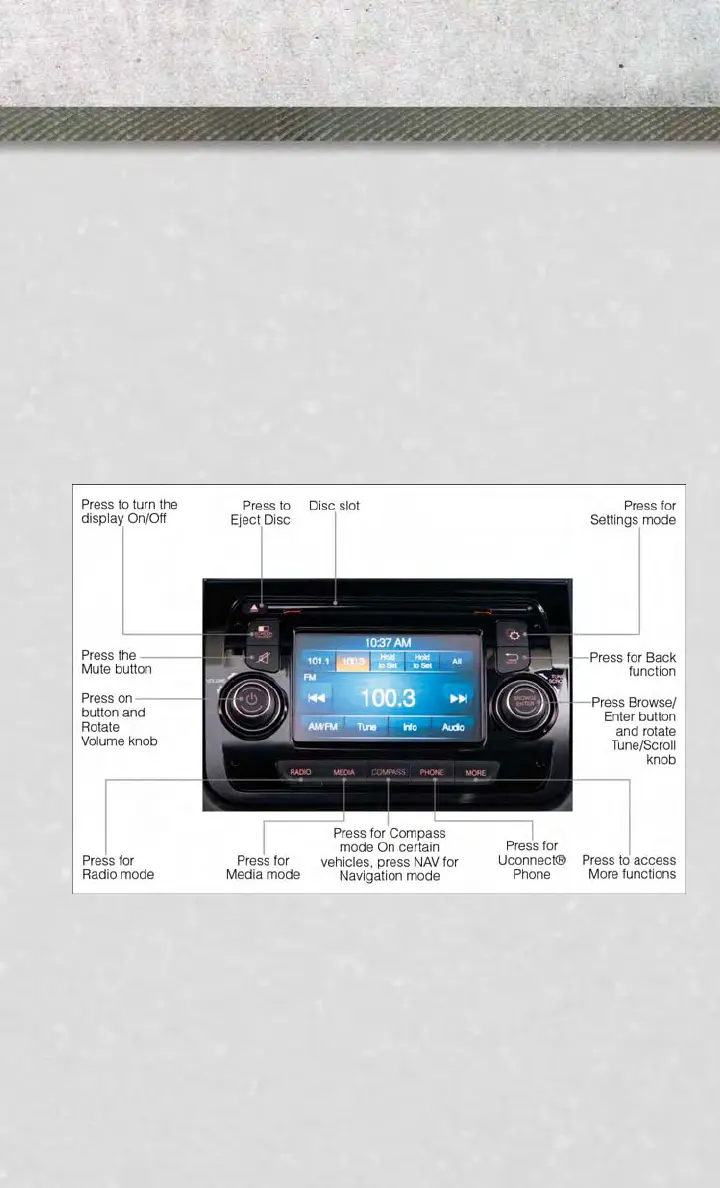
Uconnect® 5.0
Clock Setting
1. To start the clock setting procedure, press the SETTINGS hard-key on the right
side of the display, then “Clock & Date” soft-key, and then “Set Time & Format”
soft-key. Select the up or down arrows as appropriate.
2. Touch the “Up or Down arrows” to adjust the hours or minutes, next select the AM
or PM soft-key. You can also select 12hr or 24hr format by touching the desired
soft-key.
Uconnect® 5.0
ELECTRONICS
31















 To Next Page