• RIGHT Arrow Button
Push and release the RIGHT arrow button to
access/select the information screens or sub-
menu screens of a main menu item. Push and
hold the RIGHT arrow button for two seconds
to reset displayed/selected features that can be reset.
• LEFT Arrow Button
Push and release the LEFT arrow button to
return to the main menu from an info screen or
submenu item.
NOTE: Pushing any arrow will override the DID “pop
up” messages and return you to the menu screen.
DID Display
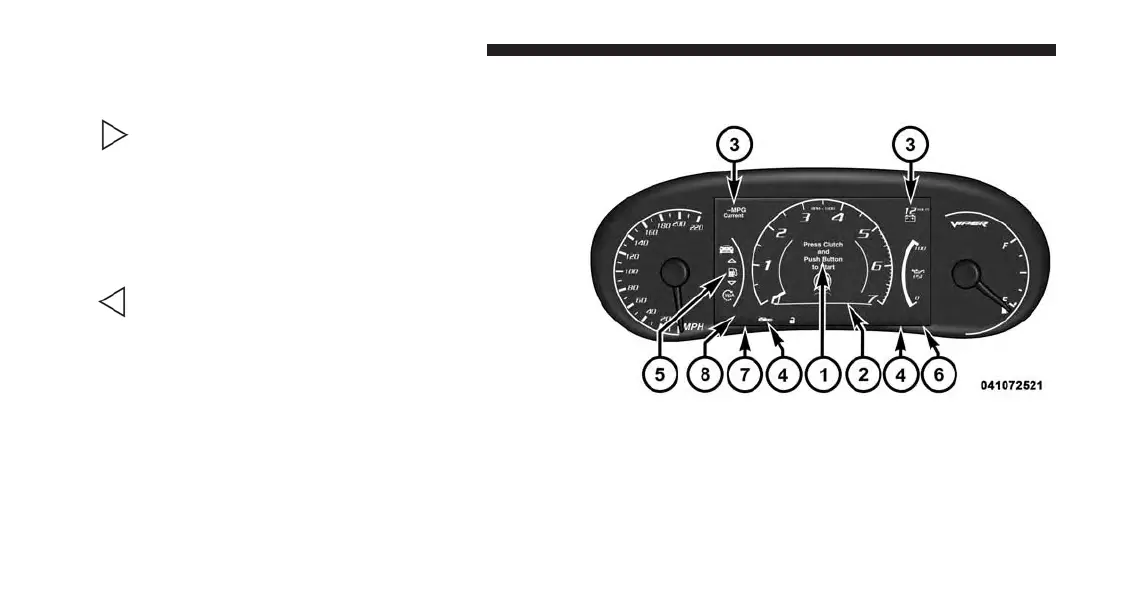
The DID display is located in the center portion of the
instrument cluster and consists of the following sections:
DID Display
174 UNDERSTANDING YOUR INSTRUMENT PANEL








 To Next Page