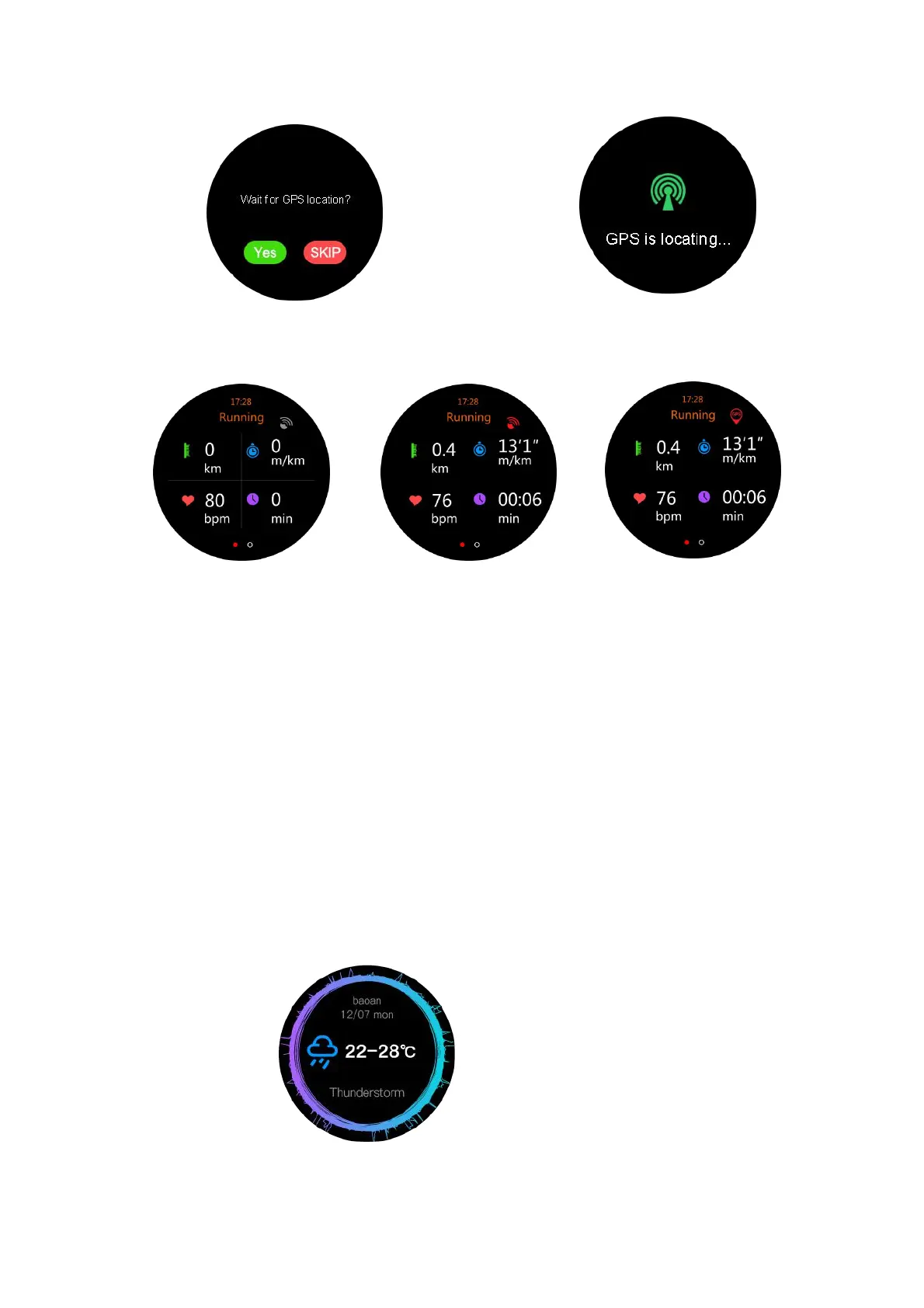
Pic.3 Waiting for positioning Pic.4 GPS positioning
Pic.5 GPS OFF Pic.6 GPS ON but locating failed Pic.7 GPS locating
successfully
Pic.3: Press Yes to find GPS to record your activity.
Pic.4 The Device is searching for GPS positioning.
Pic.5: Device GPS is turned off (be sure to turn your GPS on (see Pic 1).
Pic.6: GPS is on but locating GPS has failed.
Pic.7: GPS on and locating successfully (note the GPS icon in the top right
corner).
8). DOFit 2 GPS App Other functions
8.1 Weather function introduction
1. Weather function details
The Device will need to be synced with the Smartphone App to display weather
functions.


 To Next Page